X
This article was written by Jack Lloyd. Jack Lloyd is a Technology Writer and Editor for wikiHow. He has over two years of experience writing and editing technology-related articles. He is technology enthusiast and an English teacher.
The wikiHow Tech Team also followed the article's instructions and verified that they work.
This article has been viewed 306,057 times.
This wikiHow teaches you how to find basic information about a website via Command Prompt on a Windows computer. You can see a website's IP address, the route from your network to the website, and the website's DNS information from within Command Prompt.
Steps
-
1
-
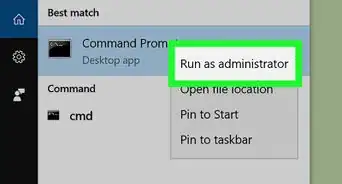
2Search for Command Prompt. Type in command prompt to bring up a list of matching results.
-
3
-
4Ping the web address you want to check. You can "ping" the nearest website server to see how far away the server is in milliseconds:
- Type in ping website.com where "website" is your website's name.
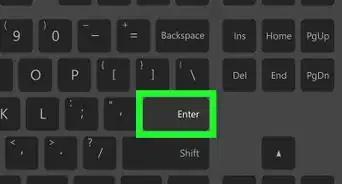
- Press ↵ Enter.
- Press ↵ Enter again to stop the ping.
-
5Trace the website's route. Sending a "traceroute" request to your website will show the route the request takes, documenting any server addresses between you and the website:
- Type in tracert website.com where "website" is the website's name.
- Press ↵ Enter.
- Review the path your request took (sections with asterisks are instances in which the request timed out).
-
6Check the DNS information for the website. You can see the website's DNS address, which differs from the IP address, by doing the following:
- Type in nslookup website.com where "website" is the name of the website.
- Press ↵ Enter.
- Review the website's DNS addresses.


Community Q&A
-
QuestionHow can I get a website name by using server IP?
 Community AnswerType nslookup followed by a space and the IP address of the server.
 -
QuestionHow do I get an IP address of a website using CMD of Microsoft Windows [Version 6.3.9600]?
 Community AnswerYou can use the same method shown above. For any version, you should be able to use this method.
 -
QuestionDo I need internect connection to perform this?Community AnswerYes, you will need an internet connection to obtain Website Information using Command Prompt.
-
QuestionIf I type in a command like "ping google.com", it says "ping is not recognized as an internal or external command, operable program or batch file". How do I find out the IP?Community AnswerMake sure that you're not using quotes and that you have a space between the ping command and the website.
-
QuestionHow do I access WiFi via command prompt?Community AnswerYou can use ipconfig to surf through your ip and other related stuff, just open CMD prompt and type ipconfig (do not share your IP and other info with others).
Warnings
- Most websites use firewalls to block unauthorized access, so the IP address you see for a website may be misleading.Thanks!


-Files-in-Command-Prompt-Step-6.webp)