This article was written by Nicole Levine, MFA. Nicole Levine is a Technology Writer and Editor for wikiHow. She has more than 20 years of experience creating technical documentation and leading support teams at major web hosting and software companies. Nicole also holds an MFA in Creative Writing from Portland State University and teaches composition, fiction-writing, and zine-making at various institutions.
The wikiHow Tech Team also followed the article's instructions and verified that they work.
This article has been viewed 100,497 times.
This wikiHow teaches you how to open the Windows terminal window as an administrator, which can be very easy if you happen to have authority. Running Command Prompt as an Administrator can give you more access to commands and more.
Steps


Community Q&A
-
QuestionIs there a command to activate admin cmd while already in normal cmd?
 ArroganceTop AnswererYou can launch a new elevated Command Prompt window with "powerShell -Command Start-Process cmd -verb RunAs". You cannot launch a new elevated prompt in the same window.
Warnings
- Be careful when running commands when running Command Prompt as an administrator. You can do serious damage to your computer if you run the wrong command.Thanks!
- Don't run any random command that you find on the internet. Some people will troll others by saying that you should run a command to fix a problem, but the command will actually damage your computer.
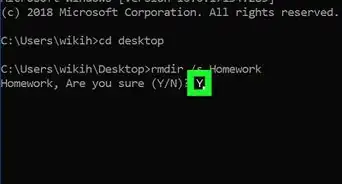
- Some commands that you should avoid running are "del", "rd", or "format", unless you know what you are doing. This list is not exhaustive though, and other commands can still be dangerous.
Thanks!
Things You'll Need
- Administrator permissions
-Files-in-Command-Prompt-Step-6.webp)
About This Article

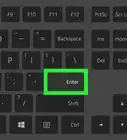
1. Press the Windows Key + S.
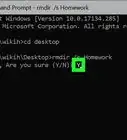
2. Type cmd.
3. Right-click Command Prompt.
4. Click Run as administrator.