This article was written by Jack Lloyd. Jack Lloyd is a Technology Writer and Editor for wikiHow. He has over two years of experience writing and editing technology-related articles. He is technology enthusiast and an English teacher.
The wikiHow Tech Team also followed the article's instructions and verified that they work.
This article has been viewed 801,322 times.
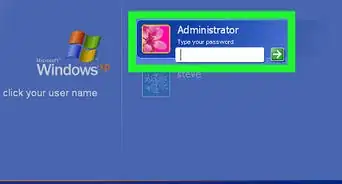
This wikiHow teaches you how to add a new user to your Windows computer by using Command Prompt. Keep in mind that you must have administrator privileges to do this, as standard user accounts cannot create new user accounts. You cannot use Command Prompt to create a Microsoft Account.
Steps
-
1
-
2Search for Command Prompt. Type in command prompt to do so.Advertisement
-
3
-
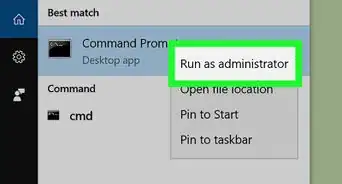
4Click Run as administrator. This is in the drop-down menu.
-
5Click Yes when prompted. Doing so opens the Command Prompt window.
-
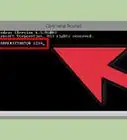
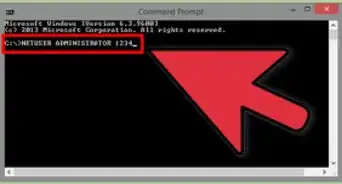
6Type in the "add user" command. The "add user" command uses the net user username password /add format, where "username" is the name you want to use for the user and "password" is the password you want to assign to the account.
- For example, to add a user named "Michael" with the password "hello123", you would enter net user Michael hello123 /add here.
- If you don't want to use a password for the account, don't type in a password—just enter net user username /add instead.
-
7Press ↵ Enter. Doing so runs the command and begins creating the user account.
- Once you see the phrase "The command completed successfully" appear, your user has been added.
-
8Grant the user administrator permissions. If you want to turn the user account into an administrator account, type net localgroup administrators username /add into Command Prompt—making sure to replace "username" with the name of the account you want to change—and press ↵ Enter.
- For example, to make a user account named "Michael" an administrator, you would type in net localgroup administrators Michael /add and press ↵ Enter.
Advertisement


Community Q&A
-
QuestionHow do I open a laptop password?
 Community AnswerAccess that account to reset your password. Boot your computer and press F8 repeatedly. Access Safe Mode. Key in "Administrator" in Username, with no password. Go to Control Panel, then User Accounts. Select the account you want to reset the password. Change the password.
 -
QuestionWhen I type user name and password it says access is denied. What should I do?
 Community AnswerYou have to run command prompt as an administrator. Right click the icon and click run as administrator.
 -
QuestionWhy am I seeing a message that says my local group isn't there if I am being stopped at the point of entering the command line into the second stage of this process?
 Community AnswerCheck which language you are using. The local group is probably a bit different.
 -
QuestionHow do I copy files to other users on my computer in CMD?
 Community AnswerOpen a command prompt as administrator, then cd into that user (e.g C:\Users\test1), then copy files with command copy.
Warnings
- If you aren't on an administrator account, you cannot use Command Prompt to add a user.Thanks!


-Files-in-Command-Prompt-Step-6.webp)
About This Article
1. Open Command Prompt in Administrator mode.
2. Type in net user username password /add where "username" is the name and "password" is the password.
3. Press ↵ Enter.