X
wikiHow is a “wiki,” similar to Wikipedia, which means that many of our articles are co-written by multiple authors. To create this article, volunteer authors worked to edit and improve it over time.
This article has been viewed 77,834 times.
Learn more...
If you have an address book in a spreadsheet or a database, you may want to use them for printing labels. This article will tell you how.
Steps
-
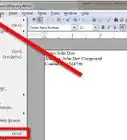
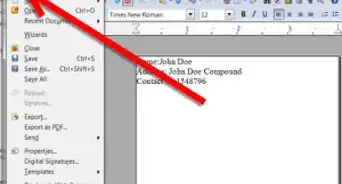
1Click on File >> New >> Labels. This will bring you to the Labels dialog screen.
-
2Click on the Options tab.Advertisement
-
3Be sure that the Synchronize Contents box is unchecked.
-
4Select the Labels tab.
-
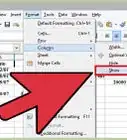
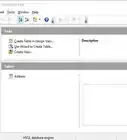
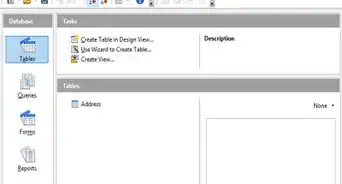
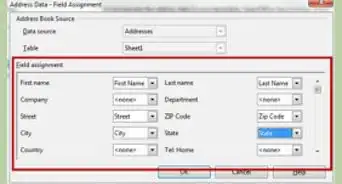
5In the Database pull down menu, select Addresses.
-
6In the Tables pull down menu, select Sheet 1 (unless you renamed it).
-
7In the Brand pull down menu, select the correct brand name for your labels. In the US, the standard is Avery.
-
8In the Type pull down menu, select the type of label that you will be using. A popular one is Avery 5260.
-
9In the Database Field pull down menu, select the field you want. For an address, you would start off with the first name.
-
10Click the left pointing arrow indicated above in the screenshot.
- This puts the appropriate field in the correct place in the label.
-
11Press the space bar to create a space in the 'Label text' block.
-
12Using the Database Field pull down menu, select the last name.
-
13Hit Enter. This takes you to the second line.
-
14Using the same process, continue.
-
15Add the Street field.
- Add the name of the city
- Type in a comma (,).
- Hit the space bar and then add the State Field.
- Hit the space bar and then add the Zip code field.
-
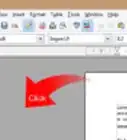
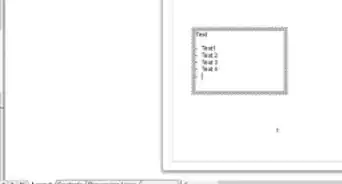
16Click on New Document to create your sheet of labels. This is what it should look like now (the new document).
-
17Click File >> Print (Ctrl P). A box will come up and ask if you want to print a form letter.
-
18Select Print.
-
19Be sure that Printer and the records that you want to print are selected and print.Advertisement


Community Q&A
-
QuestionHow do I print from a template?
 SelveshCommunity Answer1.Click on the Mailings tab in the Microsoft word menu bar. 2.Choose Labels. 3.In the dialogue box that opens, select Option. 4.Click on the labels vendors drop down and select OnlineLabels.com and the product number of the label you`re printing. 5.Click OK.
 -
QuestionHow can I find my spreadsheets on OpenOffice?
 Community AnswerProduce them in openoffice calc, then find them where you filed them, probably in files---documents.
References
- Original information comes from TutorialsForOpenOffice
About This Article
Advertisement