Explore this Article
X
wikiHow is a “wiki,” similar to Wikipedia, which means that many of our articles are co-written by multiple authors. To create this article, volunteer authors worked to edit and improve it over time.
The wikiHow Tech Team also followed the article's instructions and verified that they work.
This article has been viewed 54,738 times.
Learn more...
This article explains the simple steps for opening Command Prompt via your keyboard.
Steps
Method 1
Method 1 of 2:Opening a Regular Command Prompt Window
Method 1
-
1Press and hold the ⊞ Win key.
-
2Press and hold the X key.
-
3Release the two keys. A context menu should appear in the lower-left corner of your screen, just above the Start button.
-
4Press the C key.
-
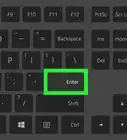
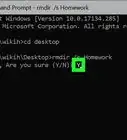
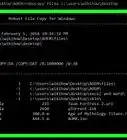
5Begin using the Command Prompt. Type a command into the Command Prompt window and hit ↵ Enter to initiate it.
-Step-1.jpg)
-Step-2.jpg)
-Step-3.jpg)

-Step-4.jpg)
-Step-5.jpg)
Method 2
Method 2 of 2:Opening an Administrator Command Prompt Window
Method 2
-
1Press and hold the ⊞ Win key.
-
2Press and hold the X key.
-
3Release the two keys. A context menu should appear in the lower-left corner of your screen, just above the Start button.
-
4Press the A key.
-
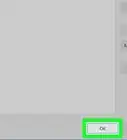
5Provide confirmation in the User Account Control window if prompted. You might need to type the password to an administrator account. Then click or tap Yes at the bottom of the window to continue.
-
6Begin using the Command Prompt. Type a command into the Command Prompt window and hit ↵ Enter to initiate it.
-Step-6.jpg)
-Step-7.jpg)
-Step-8.jpg)
-Step-9.jpg)
-Step-10.jpg)
-Step-11.jpg)
Things You'll Need
- Device running Windows 10, 8.1, or 8
You Might Also Like
How to
Run an EXE File From Command Prompt
How to
Create and Delete Files and Directories from Windows Command Prompt
How to
Copy Files in Command Prompt
How to
Use Windows Command Prompt to Run a Python File
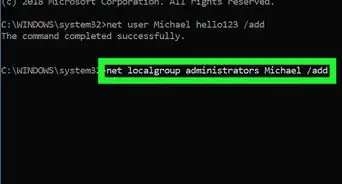
How to
Add Users from CMD
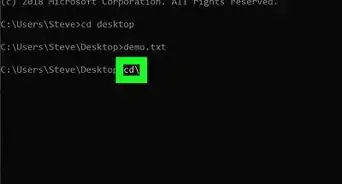
How to
Go Back Using the Command Prompt
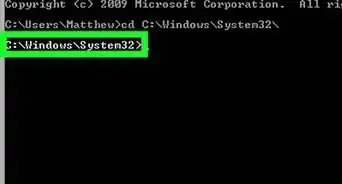
How to
Change Directories in Command Prompt
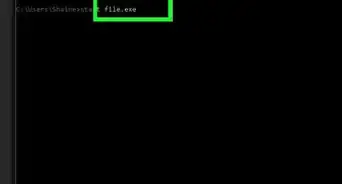 3 Easy Ways to Run a Program on Command Prompt - wikiHow
-Files-in-Command-Prompt-Step-6.webp)
How to
Merge Text (.Txt) Files in Command Prompt
How to
Use Net Send
How to
Watch Star Wars on Command Prompt
How to
Run Command Prompt As an Administrator on Windows
How to
Change a Computer Password Using Command Prompt
 How to Copy Files to a USB Using Command Prompt (CMD)
About This Article
Tested by:
wikiHow Technology Team
wikiHow is a “wiki,” similar to Wikipedia, which means that many of our articles are co-written by multiple authors. To create this article, volunteer authors worked to edit and improve it over time. This article has been viewed 54,738 times.
How helpful is this?
Co-authors: 6
Updated: September 19, 2017
Views: 54,738
Categories: Command Prompt