X
wikiHow is a “wiki,” similar to Wikipedia, which means that many of our articles are co-written by multiple authors. To create this article, 14 people, some anonymous, worked to edit and improve it over time.
This article has been viewed 107,943 times.
Learn more...
Making calculations using Windows calculator can get very tedious. Creating your own Command prompt calculator will make your life much easier.
Steps
-
1Open notepad by going to Start> All Programs> Accessories> Notepad. Vista and 7 users can just type "notepad", without quotes, into the start menu and hit enter
-
2Copy the following code:
- @echo off
- :start
- Echo Press 1 for Addition
- echo Press 2 for Subtraction
- echo Press 3 for Multiplication
- echo Press 4 for Division
- echo Press 5 to Quit
- set /p type=
- if %type%==1 goto a
- if %type%==2 goto b
- if %type%==3 goto c
- if %type%==4 goto d
- if %type%==5 goto e
- :a
- echo Addition
- echo Please choose the 2 numbers you wish to add
- set /p num1=
- set /p num2=
- echo %num1%+%num2%?
- pause
- set /a Answer=%num1%+%num2%
- echo %Answer%
- pause
- goto start
- :b
- echo Subtraction
- echo Please choose the 2 numbers you wish to subtract
- set /p num1=
- set /p num2=
- echo %num1%-%num2%?
- pause
- set /a Answer=%num1%-%num2%
- echo %Answer%
- pause
- goto start
- :c
- echo Multiplication
- echo Please choose the 2 numbers you wish to multiply
- set /p num1=
- set /p num2=
- echo %num1%*%num2%?
- pause
- set /a Answer=%num1%*%num2%
- echo %Answer%
- pause
- goto start
- :d
- echo Division
- echo Please choose the 2 numbers you wish to divide
- set /p num1=
- set /p num2=
- echo %num1%/%num2%?
- pause
- set /a Answer=%num1%/%num2%
- echo %Answer%
- pause
- goto start
- :e
- echo. Done!
Advertisement -
3Go to File> Save As
- Change the "Save as type" box to "All Files"
- Type "anything.bat" into file name and click "Save"
-
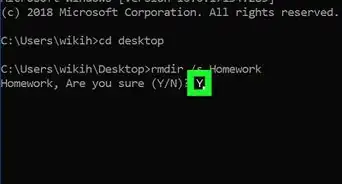
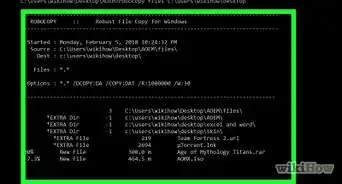
4Double click on the file and you will get this window:
-
5Follow the simple instructions and your answer will be displayedAdvertisement


Community Q&A
-
QuestionDo I save this code on the desktop?
 Community AnswerYou can, yes.
 -
QuestionWhy are the decimal places not shown for division?
 Community AnswerThe set /a command (used for doing the mathematical operations) cannot display decimal places, so it rounds it down in all cases.
 -
QuestionStep 4 is done. What do we have to do in step 5?Community AnswerTry it out!
-
QuestionI followed all of the instructions, but when I try to open up Command Prompt by clicking on the Notepad file, nothing happens. What should I do?
 Community AnswerYou open the .bat file, not the Notepad icon. It creates a new icon on the desktop (or wherever you save it to).
 -
QuestionWhat coding language is used to make this ?
 ArroganceTop AnswererIt doesn't have a formal name, but it is usually called the Windows/DOS batch language.

-Files-in-Command-Prompt-Step-6.webp)
About This Article
Advertisement