X
wikiHow is a “wiki,” similar to Wikipedia, which means that many of our articles are co-written by multiple authors. To create this article, volunteer authors worked to edit and improve it over time.
This article has been viewed 82,633 times.
Learn more...
Keeping a folder secret or out of reach of others in your computer (running on Windows operating system only) usually becomes more difficult if a common computer is used by all family members. But after reading this article, You'll not only be able to create a secret hidden folder but also It'll be a password protected folder, until unless user don't enter exact password. Your folder won't open. So, let's see how to do this. Follow the steps below.
Steps
-
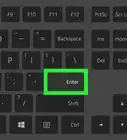
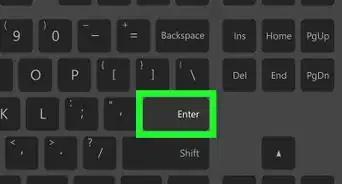
1Open Notepad. If you aren't sure where it's located on your computer, press ⊞ Win+R. Type notepad and press ↵ Enter.
-
2Copy and paste the code given below carefully:
Quote:
Quote: cls
@ECHO OFF
title Folder Private
if EXIST "Control Panel.{21EC2020-3AEA-1069-A2DD-08002B30309D}" goto UNLOCK
if NOT EXIST Private goto MDLOCKER
:CONFIRM
echo Are you sure you want to lock the folder(Y/N)
set/p "cho=>"
if %cho%==Y goto LOCK
if %cho%==y goto LOCK
if %cho%==n goto END
if %cho%==N goto END
echo Invalid choice.
goto CONFIRM
:LOCK
ren Private "Control Panel.{21EC2020-3AEA-1069-A2DD-08002B30309D}"
attrib +h +s "Control Panel.{21EC2020-3AEA-1069-A2DD-08002B30309D}"
echo Folder locked
goto End
:UNLOCK
echo Enter password to unlock folder
set/p "pass=>"
if NOT %pass%== password goto FAIL
attrib -h -s "Control Panel.{21EC2020-3AEA-1069-A2DD-08002B30309D}"
ren "Control Panel.{21EC2020-3AEA-1069-A2DD-08002B30309D}" Private
echo Folder Unlocked successfully
goto End
:FAIL
echo Invalid password
goto end
:MDLOCKER
md Private
echo Private created successfully
goto End
:End
Advertisement -
3Save the file with any name followed by extension .bat. (For example: XXX.bat)
-
4Double-click the XXX.bat file icon. It'll create a folder for you under the name 'Private'.
-
5Open the folder, place whatever files/folders you want to keep out of reach of others and close the folder.
-
6Double-click 'XXX.bat' file icon.
-
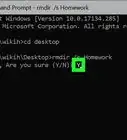
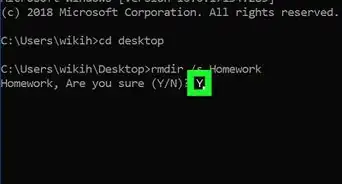
7Type Y and press ↵ Enter key. It'll hide your the folder immediately.
- Now, nobody will be able to see that folder anywhere in your computer.
-
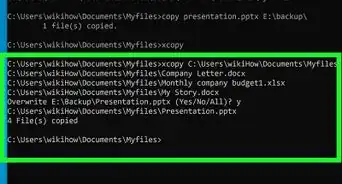
8To see the folder again, double-click the XXX.bat icon again. It'll open following window shown in the image. It'll ask you type password to open the folder.
- Type the password. Default password set is "password". Then press the ↵ Enter key.
- Open the folder, you can see your data there.
Advertisement


Community Q&A
-
QuestionHow do I set a password for my folder?
 Community AnswerIn the part : set/p "pass=>" if NOT %pass%== password goto FAIL, change the word 'password' to whatever you want.
 -
QuestionIf a text locker file is deleted by mistake, how can I recover the data that I locked in the private folder?
 Community AnswerGo to the folder the hidden file was in, press view (at the top) and check hidden items.
 -
QuestionIf the name does not change on a newly created folder when I change line 4, is there somewhere else I am supposed to change the name as well?Community AnswerI think line 4 is just to give the batch file a title. To change the folder name from "Private" to something else, you need to replace the word "Private" in lines 6, 17, 26, and 33.
-
QuestionHow do I open a .bat file that I create in Notepad?
 Community AnswerRight-click the .bat file and you'll see quite a few options, click the one called "Edit."
 -
QuestionThe folder is not totally hidden in my Windows 8. How do I make it disappear?
 Plnk NinoCommunity AnswerMake sure the choice (Hidden Items) is not checked or activeated in the View tab at the top of the screen where your folder is saved.
 -
QuestionHow do I create a secret folder using notepad that nobody can delete?Community AnswerYou cannot do that, as Notepad is easily openable and editable. You should try other programming software for that purpose.
-
QuestionCan I make con folder using this command?Community AnswerTo make a con, aux, prn, nul, or other folders like that, type this into command prompt: cd md con\
-
QuestionI have forgot my password and I have locked the notepad in side that hidden folder is there any way to retrieve the data or unlock the folder now?Community AnswerRight click your secret folder and click edit and In the file : set/p "pass=>" if NOT %pass%== password goto FAIL, change the password to whatever you want.
Warnings
- You may need administrative privileges in order to open command prompt. Better login to your computer system as an administrator.Thanks!
- Your folder exists all because of 'XXX.bat' file. Keep it safe in your computer and never ever delete it. Otherwise, you won't be able to open the folder again and may loose data you placed inside the folder.Thanks!
Advertisement
-Files-in-Command-Prompt-Step-6.webp)
About This Article
Advertisement