wikiHow is a “wiki,” similar to Wikipedia, which means that many of our articles are co-written by multiple authors. To create this article, 121 people, some anonymous, worked to edit and improve it over time.
This article has been viewed 1,991,643 times.
Learn more...
Here is a simple way to access Windows XP with Administrator rights and privileges if you have password protected your User account on your Windows XP system and can't remember the password(s) to login. Whenever Windows XP is installed on a system, it creates a default account called "Administrator" and by default this account is not password protected. Therefore, if you bought a brand name computer (such as Dell, HP, Compaq or Sony)or you have installed Windows XP yourself. You should be able to login to the computer through the unprotected Administrator account. When you installed Windows XP (or when the people who sold you the computer installed it), it created an administrative account automatically. This account has NO password by default, and can be used to access everything in the computer. By accessing it, you can change any password on the system.
Steps
-
1Reboot your machine.
-
2Press F8 before the Windows boot screen appears. Do not press F5 as used on the NT/9x versions of Windows. You will be be prompted with a boot options menu.
-
3Select the Start Windows in Safe Mode option.
-
4Click through several self-explanatory screens until your reach the familiar 'Welcome' screen.
- Note that this welcome screen is limited to 256 colors and 640x480 resolution because the primary graphics will have been set to the Windows Safe Mode software VGA adapter. You will not be able to change this mode even in Display options, while Windows is running in Safe Mode.
-
5Find the icon for the Administrator user. If the default settings of your system haven't been changed, there should be no password for this account.
-
6The Safe Mode Welcome screen might display some of the other users on your system.
-
7Press Yes at the prompt asking if you would like to continue using Safe Mode.
-
8Open up the command shell. Press START, click RUN, and type in CMD, press ENTER. This will bring up a window likely unfamiliar to you. This is the command line, it allows you to manage files or change settings without restriction (no restriction on the administrative account). Before the graphical environment of Windows, this is what Microsoft users used.
-
9Change the password of the account. Type in (without the quotes, and yes, the asterisk (*) is necessary) "net user (username) *". It will ask you to type in a password, then to retype it. You just changed the password!
-
10Log in. Exit the command shell dialogue, don't type in anything else if you don't know what you're doing, you could really hose down your computer. Log out of the administrative account, then log back in to your account with the new password.
-
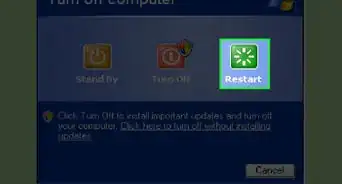
11Reboot your computer. As long as you don't press any keys (e.g. F8) during the boot-up the computer will start up normally.
-
12Login as the user for which you set the password.


Community Q&A
-
QuestionI was given a desktop with Windows XP. How do I take off or reset administrator password?
 Community AnswerYou can use a password reset disk or try guessing the password. Most of the admin passwords are "admin" or "administrator".
 -
QuestionDo Windows 8 and 8.1 create accounts named Administrator by default?Community AnswerThey do, but every OS since Windows XP has that account locked by default for security reasons. It's a huge security risk to have a full access administrative account with no password. If you'd like to enable this account, log in as an administrator, go to Start, search cmd, right-click, and select "Run as administrator." When the command prompt appears, type in: "net user Administrator /active:yes." Then, to clear the password, type in, "net user Administrator *" and hit "Enter" twice to make it a blank password.
-
QuestionWhat if the administrator account is password protected, how do you gain access?
 ArroganceTop AnswererThe only way to gain access would be to boot from another disk with a utility, like ntpasswd, to reset the password.
Warnings
- This whole process is pointless if you know the administrator's password as you can easily remove passwords without going into safe mode. Assuming that your PC only has one user profile with administrative powers.Thanks!
- You must own the computer and be licensed to use the operating system. You must also have Administrative rights to the entire library of information on the disk. Otherwise accessing Windows Administrator and changing passwords could be construed as illegal entry and electronic trespass in a court of law. Use these instructions for ethical purposes only, please.Thanks!
- This method may or may not work with machines running XP SP2, you will need to use safe mode with networking instead.Thanks!