X
wikiHow is a “wiki,” similar to Wikipedia, which means that many of our articles are co-written by multiple authors. To create this article, volunteer authors worked to edit and improve it over time.
This article has been viewed 6,086 times.
Learn more...
Would you like to feature a playlist on all your YouTube videos? Here is a simple step-by-step guide that shows you how.
Steps
-
1Open your favorite browser.
-
2Go to YouTube.com.
-
3Log in to your YouTube account. Click on the "Sign In" button, which can be found on the top right corner of the page.
-
4Enter your email address and password, and click on "Sign In".
-
5Click on your thumb image at the top right corner of the page. This will open a drop-down menu.
-
6Click the small gear icon.
-
7Click on “View Additional Features”.
-
8Look for a menu on the left hand side. Click on “In video Programming”.
-
9Click on “Feature a Video or Playlist” Button.
-
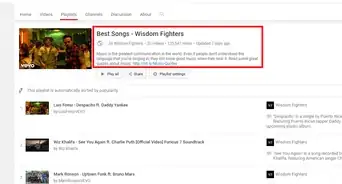
10Select the check box that says " choose a video or playlist". Then click on the playlist tab and select the playlist that you would like to feature. Click “save” to save your settings.
-
11Select the display time. You can add this at the end of the video, or at a custom start time.
-
12To add this at a custom start time, enter the start time and click "update" to save your settings.
-
13Go to Video Manager and open any one of your videos. As you can see, your chosen playlist is now featured on your YouTube videos. If someone clicks on it, they will be redirected to your featured playlist.


References
- How to Feature a Playlist on All Your YouTube Videos - Original source of article, shared with permission