X
This article was written by Jack Lloyd. Jack Lloyd is a Technology Writer and Editor for wikiHow. He has over two years of experience writing and editing technology-related articles. He is technology enthusiast and an English teacher.
This article has been viewed 281,886 times.
This wikiHow teaches you how to start your Windows computer with Command Prompt open. This process is different than simply starting Command Prompt on a running computer. Command Prompt is a Windows-only program.
Steps
-
1
-
2
-
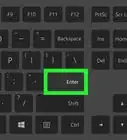
3Hold down ⇧ Shift. You'll need to hold this key down until instructed to release it.
-
4Click Restart. It's in the pop-up menu. Doing so will restart your computer; since you're holding down ⇧ Shift, your computer will restart into the Advanced Options menu.
- This process can take anywhere from several seconds to a minute, so make sure that you're still holding down the ⇧ Shift key.
-
5Release ⇧ Shift when you see a blue screen. This is the Advanced Options menu. Once it the blue screen appears, you can let go of the ⇧ Shift key.
-
6Click Troubleshoot. It's an image of a wrench and screwdriver. Doing so will take you to another page.
-
7Click Advanced options. This option is near the top of the screen.
-
8Click Command Prompt. You'll find it on the right side of the screen.
-
9Enter your password. When the password screen loads, type your Microsoft account password into the text field in the middle of the screen, then click Continue in the lower-right side of the screen.
- You cannot use your computer's PIN to open Command Prompt.
-
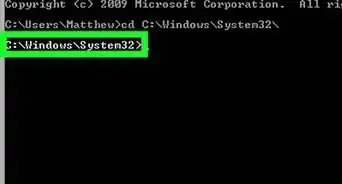
10Wait for Command Prompt to load. Once the Command Prompt window opens, you can use Command Prompt as you typically would.
- Once you're done with Command Prompt, you can click the red X in the top-right corner of the Command Prompt window and then click Continue on the blue screen to restart Windows normally.


Community Q&A
-
QuestionHow do I get a 386sx 25 DOS laptop that has Windows 3.1 installed to boot up to a C prompt rather than Win 3.1 ?
 Community AnswerI think Windows 3.1 is just a program in DOS so you can just exit out of Windows and go to the DOS prompt. If you look in your C:\autoexec.bat file you will likely see win.exe (or something like that) as the last line. Just type REM in front of that line and it should stop Windows from running automatically.
 -
QuestionWhat can cause my Windows computer to repair and then not go to the main start page?
 Community AnswerIt could be the booting manager is corrupt or there could be a virus problem in the system. Try formatting the system or change your hard drive if the problem persists.
 -
QuestionHow can I get to command prompt if my password does not work?Community AnswerTry turning computer off by holding the power button, wait 5 seconds then turn computer back on. Repeat. Then press the F8 key a bunch of times. It should be at a recovery screen. Select safe boot with command prompt start option or repair computer advanced options, then command prompt (depends which screen pops up).
-Files-in-Command-Prompt-Step-6.webp)