X
wikiHow is a “wiki,” similar to Wikipedia, which means that many of our articles are co-written by multiple authors. To create this article, 43 people, some anonymous, worked to edit and improve it over time.
This article has been viewed 463,308 times.
Learn more...
It happens to people. They try to go to a game site at work or school, only to find that it is blocked in their browser. Bypass the restriction with these simple steps.
Steps
-
1Open Internet Explorer.
-
2From the top menu, choose "Tools".
-
3Select "Internet Options" from the drop-down list.
-
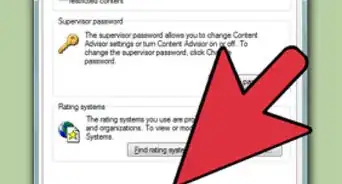
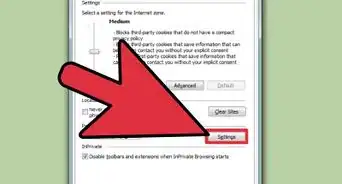
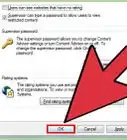
4Click on the "Security" tab.
-
5Click on "Restricted Sites".
-
6Find the site that you want unblocked.
-
7Highlight the site and click "Remove".
-
8Note: This method won't work if the "Internet Options" button locked.


Community Q&A
-
QuestionWhat can you do if you do not have internet explorer?
 Community AnswerTry installing an Internet Browser of your choice on a separate computer. Copy the browser's installation setup on a USB and paste it on to the computer that does not have Internet Explorer. Then you can install the setup.
 -
QuestionWhat if I can't install ROBLOX? Is there any way around the restriction?
 Vogel_borpCommunity AnswerNo.
 -
QuestionHow do I remove Adobe Flash Player?
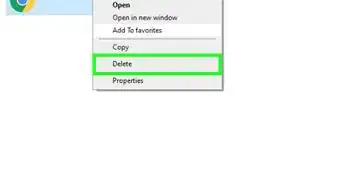
 Community AnswerGo to Add/Remove Programs or Programs and Features, look for Adobe Flash Player, then uninstall.
 -
QuestionHow do I remove an abuse report from a website?
 Community AnswerYou can't, even if this is your own website.
 -
QuestionWhat should I do if my internet is locked?
 Community AnswerIt is probably the WiFi or internet connection. Try unplugging your WiFi and put it on again.
 -
QuestionWhy are there no restricted sites? When I try to go to a site I want to go to, it still says that it is restricted by iBoss. What do I do?Community AnswerYour school is using something else to block stuff. Schools did that once and they got hacked so they stopped doing something that simple.
-
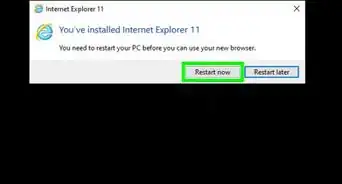
QuestionWhat if I can't get internet explorer?Community AnswerTry installing an internet browser of your choice on a separate computer. Copy the browser's installation setup on a USB and paste it on to the computer that does not have Internet Explorer. Then you can install the setup.
Warnings
- Administrators can restrict access to the "Security" tab.Thanks!
- Efforts to remove restrictions and access blocked sites may be logged. Some school systems view this as vandalism and you could be suspended, expelled or arrested for your actions.Thanks!
- Just because you gain access to a restricted site does not mean you are in the clear. If the admins block and log Internet activity, they might log every bit and byte you send and receive and then punish you for circumventing their shabby security.Thanks!