This article was written by Jack Lloyd. Jack Lloyd is a Technology Writer and Editor for wikiHow. He has over two years of experience writing and editing technology-related articles. He is technology enthusiast and an English teacher.
The wikiHow Tech Team also followed the article's instructions and verified that they work.
This article has been viewed 729,163 times.
This wikiHow teaches you how to see the version number of the Internet Explorer browser. Internet Explorer 11 is the last version available, as Microsoft has replaced Internet Explorer with the Microsoft Edge browser and will no longer provide support for Internet Explorer. If you aren't running Internet Explorer 11, you'll need to update Internet Explorer to remain as secure as possible or download the Microsoft Edge browser.
Steps
-
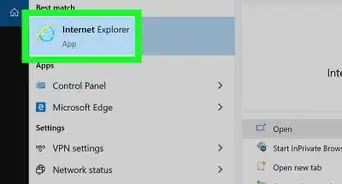
1Open Internet Explorer. This app resembles a light-blue "e" with a gold band encircling it.
-
2Click Settings . It's in the top-right corner of the Internet Explorer page. A drop-down menu will appear.
- If you don't see this gear, press the Alt key and then click the Help tab in the top-left side of the page.
Advertisement -
3Click About Internet Explorer. It's at the bottom of the drop-down menu. This prompts a pop-up window to appear.
-
4Review your Internet Explorer version. Look at the number to the right of the "Version:" heading in the middle of the pop-up window. The number before the decimal point refers to the overarching version (e.g., IE 10 or 11), while the string of numbers after the decimal point refers to the specific build of that version.Advertisement


Community Q&A
-
QuestionHow do I make Internet Explorer my browser?
 Community AnswerStart Menu > Default Programs > Internet Explorer > Set this program as default
 -
QuestionHow do I determine which version of Windows a computer is running?
 Community AnswerGo to the Help Menu and click the "About Internet Explorer" option. It will show a dialog with the details of IE Version, Product Id and so on.
 -
QuestionI am running Windows 8.1, but whenever I request info, the screen states I am running Windows 8. What can I do?Community AnswerOpen the run box (WIN key + R) and type "winver" without quotation marks. Also check the Internet Explorer Version. If it says "10" you're running Windows 8. If it says "11", then you're running 8.1.
-
QuestionHow can I tell if I am running Windows 10?
 Community AnswerRight-click on your computer; it will show you which OS you are running under the "Operating System" section.
 -
QuestionWhat's the best version of Internet Explorer?Community AnswerThe best version of Internet Explorer is IE11 since it operates a lot faster than previous versions.




About This Article
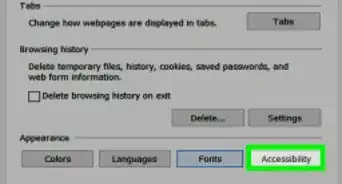
1. Open Internet Explorer.
2. Click the Settings gear or Help.
3. Click About Internet Explorer.
4. Look for the "Version:" number.