X
wikiHow is a “wiki,” similar to Wikipedia, which means that many of our articles are co-written by multiple authors. To create this article, volunteer authors worked to edit and improve it over time.
This article has been viewed 16,545 times.
Learn more...
Deleting videos from your Watch Later list on YouTube may be easy. However, looking for these buttons to delete them seems to fool most people. This article will explain this process to you.
Steps
Method 1
Method 1 of 2:Watch Later list in Video Watching Mode
Method 1
-
1Visit the YouTube webpage and login to your account.
-
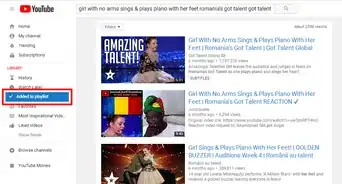
2Open your Watch Later list. Click the "Watch Later" link on the left-hand side rail of the page.
-
3Click on "Play all" begin to watch the movies in it.
-
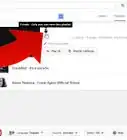
4Hover over and click on the "bin" icon to the movie that you'd like to remove.


Method 2
Method 2 of 2:Watch Later list in List Mode
Method 2
-
1Visit the YouTube webpage and login to your account.
-
2Open your Watch Later list.
-
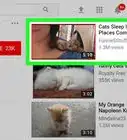
3Hover over movie that you'd like to remove from either the Title of the video or the username of the owner of the video in the list. See those two buttons and X buttons that are now shown to you over above the time the video would take?
-
4Click the X on this line. Don't rush with your mouse hand over in a jagged fashion, otherwise you'll delete the wrong video.