X
This article was written by Jack Lloyd. Jack Lloyd is a Technology Writer and Editor for wikiHow. He has over two years of experience writing and editing technology-related articles. He is technology enthusiast and an English teacher.
The wikiHow Tech Team also followed the article's instructions and verified that they work.
This article has been viewed 411,511 times.
This wikiHow teaches you how to delete a video that you uploaded to your YouTube channel from YouTube. You can do this on both mobile and desktop platforms. Keep in mind that you cannot delete another user's YouTube videos without direct access to their account.
Steps
Method 1
Method 1 of 2:On Mobile
Method 1
-
1Open YouTube. Tap the YouTube app icon, which resembles the YouTube logo. If you're already signed into YouTube, doing so will open your YouTube feed.
- If you aren't logged in, tap ⋮, tap SIGN IN, enter your email address and password, and tap SIGN IN again.
-
2Tap Library. It's the folder-shaped icon in the bottom-right corner of the screen. A menu will appear.Advertisement
-
3Tap My videos. You'll see this option near the top of the menu.
-
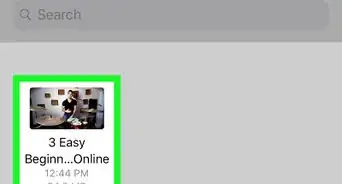
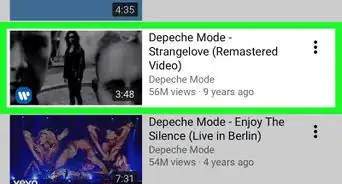
4Find a video to delete. Since videos in your library are arranged in chronological order, you may need to scroll down to find the video you want to delete.
-
5Tap ⋮. It's on the far-right side of the screen, directly across from the video that you want to remove. Doing so prompts a menu to appear.
-
6Tap Delete. This option is in the middle of the menu.
-
7Tap OK when prompted. Doing so will delete the video from your YouTube channel.Advertisement


Method 2
Method 2 of 2:On Desktop
Method 2
-
1Open YouTube. Go to https://www.youtube.com/ in your browser. This will open your YouTube home page if you're logged into YouTube.
- If you aren't logged into YouTube, first click SIGN IN in the top-right corner of the page, then enter your account details before continuing.
-
2Click your profile icon. It's in the top-right corner of the YouTube page. A drop-down menu will appear.
-
3Click Creator Studio. This option is in the drop-down menu. Clicking it opens your channel's Creator Studio, which allows you to manage your videos.
-
4Click the VIDEO MANAGER tab. It's a tab in the left-hand column of options. Clicking this tab will prompt a couple of options to appear below it.
-
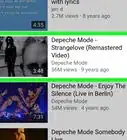
5Click Videos. This option is below the VIDEO MANAGER tab's heading on the left side of the page. Doing so brings up a list of your currently uploaded videos.
-
6Select a video. Find a video that you want to delete. Videos on the Video Manager page are arranged in chronological order, so you may have to scroll down to find the one that you want to delete.
-
7Click ▼. It's below the video, just right of the Edit button. A drop-down menu will appear.
-
8Click Delete. This option is at the bottom of the drop-down menu.
-
9Click Delete when prompted. Doing so will delete the video from your YouTube channel.Advertisement


Community Q&A
-
QuestionWould a video be deleted forever with no trace of it?
 GalaxyGirl GammingCommunity AnswerYes, once you delete a video it can’t be undone. In order to get it back you would have to upload it again.
 -
QuestionHow do I delete disgusting videos uploaded by someone under my name?
 Community AnswerIf you don't have access to the account, you can't. Report it to YouTube and explain the situation.
 -
QuestionHow do I delete my videos from YouTube?
 Community AnswerGo to Video Manager and find the video. Use the deletion process there. If you can't delete it, make it an unlisted or private video.
 -
QuestionHow do I get someone else's video removed from YouTube?
 Community AnswerYou can report it if it contains something bad but if you are just doing because you don't like the video, then stop because false reports can get your account banned from YouTube.
 -
QuestionAfter deleting a video from YouTube, how can I remove it from the search results as well?Community AnswerYou can't directly do this. Within a short time, references to that video will disappear from search and playlists.
-
QuestionBy mistake, I uploaded a video on YouTube without any details. How can I edit it?Community AnswerGo into Studio after clicking on your name in the top right corner. Then click on Video Manager and then click on Edit next to the desired video.
-
QuestionHow can I delete a YouTube video if I have forgotten my password?Community AnswerWhen you go to sign into YouTube, click on the "Forgot your password?" link. It will then guide you to steps to regain access to your YouTube Channel.
-
QuestionHow do I delete YouTube videos if nothing happens on my screen when I click the delete button?Community AnswerYou may have a slow connection, or an error has occurred. Try doing it over and over again, or restart YouTube. If the problem persists, contact YouTube for help.
-
QuestionWhat should I do if someone records the video I deleted?Community AnswerJust inform YouTube of the problem. Tell them you deleted the video and that someone else recorded it, and they should be able to help.
-
QuestionHow do I remove bad videos uploaded by someone under my name?
 StarlaCommunity AnswerSee if you can login to the account that did so. If you can't, report the situation to YouTube.
Warnings
- If you no longer have access to the account on which you need to delete a video, you'll either need to reset your YouTube password or contact YouTube directly.Thanks!
Advertisement


About This Article
Advertisement