X
wikiHow is a “wiki,” similar to Wikipedia, which means that many of our articles are co-written by multiple authors. To create this article, 9 people, some anonymous, worked to edit and improve it over time.
This article has been viewed 84,839 times.
Learn more...
Windows XP provides support for Hebrew Keyboard and typing in Hebrew letters in programs such as NotePad and MS/Word. There is a short installation process required (you might need your Windows Install CD).
Steps
-
1Go to Control Panel.
-
2Click Regional and Language Options.Advertisement
-
3Click Languages tab at top.
-
4Click "install files ... for right-to-left languages".
-
5Click Apply.
-
6Insert Windows CD, click "OK", wait for the install to complete.
-
7Click Languages Tab, go to Details.
-
8Click the "Add" button, you will be able to select "Hebrew".
-
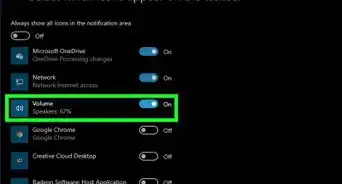
9After the software is installed, you will have a keyboard tool appearing in your system task bar. From there, you can switch between the English and Hebrew keyboard.Advertisement


Community Q&A
-
QuestionWill this cost me any money?
 Community AnswerNo, but it will take some time to install the latest version available.
 -
QuestionI added Hebrew to my computer, but I can't use it. What do I do?Community AnswerYou should be able to toggle between keyboard layouts by pressing ALT+Left Shift.
-
QuestionWhat if people don't know Hebrew or they don't know how to type Hebrew?
 ArroganceTop AnswererThen they're unlikely to want to try to install support for Hebrew keyboards.
Things You'll Need
- Windows Install CD (or perhaps files are installed on your hard drive under c:\I386).



About This Article
Advertisement