X
wikiHow is a “wiki,” similar to Wikipedia, which means that many of our articles are co-written by multiple authors. To create this article, 9 people, some anonymous, worked to edit and improve it over time.
This article has been viewed 184,394 times.
Learn more...
Microsoft Internet Connection Sharing enables a computer connected to the Internet via a cable or DSL modem to share its connection with other computers connected to it.
Steps
Method 1
Method 1 of 2:On the Host Computer
Method 1
-
1Click Start, and then click Control Panel.
-
2Click Network and Internet Connections, Click Network Connections.
-
3Right-click the connection that you use to connect to the Internet. For example, if you connect to the Internet by using a modem, right-click the connection that you want under Dial-up.
-
4Click Properties. Click the Advanced tab.
-
5Under Internet Connection Sharing, select the Allow other network users to connect through this computer's Internet connection check box.
-
6If you are sharing a dial-up Internet connection, select the Establish a dial-up connection whenever a computer on my network attempts to access the Internet check box if you want to permit your computer to automatically connect to the Internet.
-
7Click OK. You receive a message, Click Yes.


Method 2
Method 2 of 2:On the Client Computer
Method 2
-
1Click Start, and then click Control Panel. Click Network and Internet Connections. Click Network Connections.
-
2Right-click Local Area Connection, and then click Properties.
-
3Click the General tab, click Internet Protocol (TCP/IP) in the This connection uses the following items list, and then click Properties.
-
4In the Internet Protocol (TCP/IP) Properties dialog box, click Obtain an IP address automatically (if it is not already selected), and then click OK.
-
5In the Local Area Connection Properties dialog box, click OK.
-
6Open your browser to check, if what you did works.


Community Q&A
-
QuestionHow do I connect internet from mobile to Windows Ultimate via Wi-Fi?
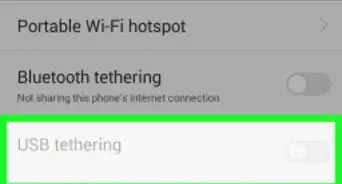
 Community AnswerYou can use your phone as a Wi-Fi hotspot. Go to the settings on your phone and find an option named: Tethering & Portable hotspot. Then you can use one of the options: Wi-Fi, Bluetooth, and USB Tethering. You will need to connect your phone to your PC with a USB cable first if you use the USB option.
 -
QuestionHow to connect to wired WiFi connection?
 AmongUsIsC00lCommunity AnswerGet an ethernet cable, then, plug one end into the router, and the other end in the computer. If your ethernet connection is not recognized, make sure the driver is installed.
-Step-26-Version-2.webp)
-Connection-Step-12-Version-5.webp)
-Step-17.webp)


-Step-26-Version-2.webp)
-Connection-Step-12-Version-5.webp)