X
wikiHow is a “wiki,” similar to Wikipedia, which means that many of our articles are co-written by multiple authors. To create this article, 10 people, some anonymous, worked to edit and improve it over time.
This article has been viewed 127,185 times.
Learn more...
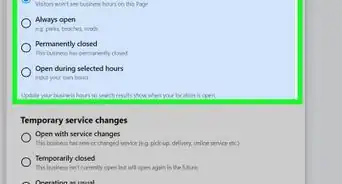
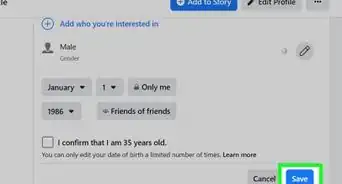
Once you've created a Facebook Page for your business you'll need to update it with your business information. Here's how.
Steps


Community Q&A
-
QuestionHow do I edit so people can't post on a business page?
 Community AnswerGo to Settings on your page. Find Restrictions. Click on that and you can choose.
 -
QuestionOn my Facebook business page there is no option for reviews. How do I get this option?
 Community AnswerGo to Page -- on the left side just below your page profile picture you will be able to see the tabs Home, About, Shop, Photos, etc. Click on Manage Tabs. Now, on the right side toward the bottom of the page, ensure that the 'Review' option is set to visible. If you do not see a review option at all, then click on Add Tab and do what's needed.
 -
QuestionHow do I edit photos on a business page?
 Community AnswerGo to the photos page and select the photo you want to edit. Then, hit the "Edit" button. To add more photos, go to the photos page and click "Add Photos." To delete a photo, select the photo you want to delete and click "Delete."
 -
QuestionWhat do I do if I get a message saying "Editing is not available in this browser" when I try to edit the story section on my Facebook business page?Community AnswerTry editing in a different browser. If you are doing it in Chrome, for example, try Firefox or Internet Explorer. If you have tried all of the browsers, try it on a different device. Your local library probably has several computers that they'd let you use.