This article was written by Jack Lloyd. Jack Lloyd is a Technology Writer and Editor for wikiHow. He has over two years of experience writing and editing technology-related articles. He is technology enthusiast and an English teacher.
The wikiHow Tech Team also followed the article's instructions and verified that they work.
This article has been viewed 38,246 times.
This wikiHow teaches you how to like a Facebook page while using your business page as your account, which displays the like as coming from your business' page rather than your personal account. You can't perform this process in the Facebook mobile app. If you don't yet have a Facebook business page, create one before proceeding.
Steps
-
1Open Facebook. Go to https://www.facebook.com/ in your preferred web browser. This will open your Facebook News Feed if you're logged in.
- If you aren't logged in, enter your email address (or phone number) and password in the top-right side of the page.
-
2Go to the page you want to like. Type the page's name into the search bar at the top of the page, press ↵ Enter, and then click the page's profile icon. This will take you to the page.
-
3Click ⋯. You'll find this option below the page's cover photo near the top of the page. Doing so prompts a drop-down menu.
-
4Click Like As Your Page. It's near the middle of the drop-down menu. This will open a pop-up window.
-
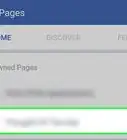
5Click the Select a Page drop-down box. This will prompt a drop-down menu with all of the different pages you own listed.
-
6Select your business page's name. Click the name of your business page to select it.
-
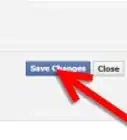
7Click Submit. It's the blue button in the bottom-right corner of the window.
-
8Click OK when prompted. This closes the Like as Page window. The page you liked is now in your business page's list of liked pages.


Warnings
- Avoid liking pages that will reflect poorly on your business.Thanks!




About This Article
1. Open Facebook.
2. Go to the page you want to like.
3. Click ⋯
4. Click Like As Your Page.
5. Click the Select a Page drop-down box.
6. Select your business page.
7. Click Submit.
8. Click OK.