Folders were always an important part to stream-line files from the beginning of Hierarchical Computing. So is it in case of mails and mail clients like ThunderBird.

Method 1
Method 1 of 2:
Making Folders

  1. 1

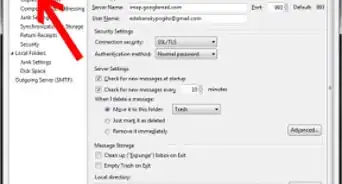
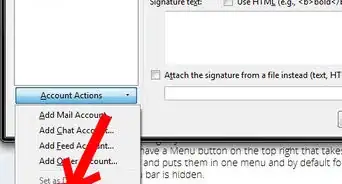
    Right Click on the tab containing your mail-address name. Select New Folder.
  2. 2
    Type the Folder Name and press Create Folder.
  3. 3
    Look at the left and it's done.

Method 2
Method 2 of 2:
Making Sub-Folders

  1. 1
    To create a sub-folder on the Gmail directory (in this case), Right Click on Gmail. Select New Subfolder.
  2. 2
    Type the folder name and press Create Folder.
  3. 3
    Look at the left and it's done.

About This Article

wikiHow is a “wiki,” similar to Wikipedia, which means that many of our articles are co-written by multiple authors. To create this article, volunteer authors worked to edit and improve it over time. This article has been viewed 12,182 times.
How helpful is this?
Co-authors: 3
Updated: August 1, 2017
Views: 12,182
Categories: Mozilla Thunderbird