X
wikiHow is a “wiki,” similar to Wikipedia, which means that many of our articles are co-written by multiple authors. To create this article, 17 people, some anonymous, worked to edit and improve it over time.
The wikiHow Tech Team also followed the article's instructions and verified that they work.
This article has been viewed 151,074 times.
Learn more...
This will show you to change the drive letter associated with a particular drive. Sometimes it's just cool to have an (X:) drive, or an (S:) drive.
Steps
-
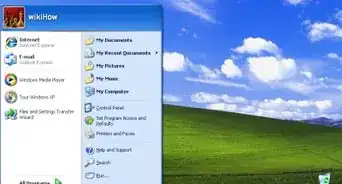
1Right click "My Computer".
-
2Drag down to "Manage" and click "Manage".Advertisement
-
3In the "Computer Management" sidebar click "Disk Management".
-
4Right click on the drive letter you want to change.
- Please read warnings before continuing any further!
- If you can't see the drive letter you want to change you can scroll down.
- For a drive that has "Online" under it, the drive letter will be in the media area.
- For a drive that has "No Media" under it, the drive letter will be in that same box.
-
5Drag down to "Change Drive Letter and Paths..." click "Change Drive Letter and Paths...".
-
6
-
7
-
8A warning will pop up reminding you that changing the drive letter can cause your programs to fail. If you are confident that you want to still want to change the letter, click "Yes".
-
9If you have a program using the drive you want to change, you will get an additional warning. Unless you really know for certain what you are doing, select "No" and find the open program.Advertisement


Community Q&A
-
QuestionWhy can I not use A: and B: letter for CD driver or any virtual?
 Community AnswerBecause A: is used for floppy discs (still used today) and B: is mostly for RAM cache.
Warnings
- Programs can become confused if a drive letter it needs to function becomes unavailable.Thanks!
- Never change your main drive letter.Thanks!
- Note: Correction. While it is VERY highly discouraged, it is possible to change your system/boot/main drive letter in windows XP/SP1, 2, and 3. Be advised, that in many cases it may render your system unbootable. However if you absolutely must change it in order for your system to function correctly, you can visit the Microsoft support article Article ID: 223188. Please do this at your own risk.Thanks!
- If settings won't stay mapped after rebooting it is possible to write a manual remapping batch file using DISKPART.Thanks!
- This method will not work if you wish to change your main drive letter. Windows XP S2 will not let you.Thanks!
Advertisement

About This Article
Advertisement