X
This article was written by Nicole Levine, MFA. Nicole Levine is a Technology Writer and Editor for wikiHow. She has more than 20 years of experience creating technical documentation and leading support teams at major web hosting and software companies. Nicole also holds an MFA in Creative Writing from Portland State University and teaches composition, fiction-writing, and zine-making at various institutions.
This article has been viewed 2,292 times.
This wikiHow teaches you how to watch UFC videos using the Planet MMA video add-on for Kodi.
Steps
Part 1
Part 1 of 2:Adding the Repository
Part 1
-
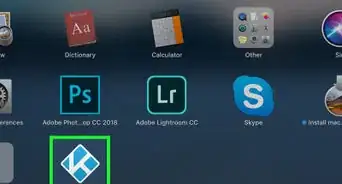
1Open Kodi on your computer. You’ll find it in the All Apps area of the Start menu in Windows, and the Applications folder in macOS.
-
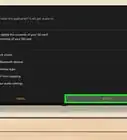
2Enable installations from unknown sources. If you haven’t already done so, here’s how:
- Click the gear icon at the top of the left column.
- Click the System settings icon.
- Click Add-ons in the left column.
- Slide the ″Unknown sources″ switch to the On position.
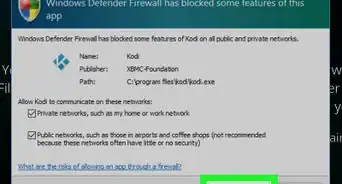
- Click Yes to confirm.
-
3Click the gear icon. It’s at the top of the left column.
-
4Click File manager.
-
5Double-click Add source. It’s in the left column.
-
6Double-click Add source. It’s on the left side of the screen.
-
7Type the repository URL into the box and click OK. The URL is http://supremacy.org.uk/zip/repo.
-
8Name the file source Supremacy and click OK. To do this, type ″Supremacy″ into the ″Enter a name for this media source″ field.
-
9Return to the home screen and click Add-ons. It’s in the left column.
-
10Click the open box icon. It’s at the top of the left column.
-
11Select Install from zip file. It’s the next-to-last option.
-
12Double-click Supremacy.
-
13Select Repository.supremacy-2.3.zip and click OK. Kodi will now install the repository.


Part 2
Part 2 of 2:Installing Planet MMA
Part 2
-
1Return to the home screen and select Add-ons.
-
2Click Enter Add-on Browser. It’s in the right panel.
-
3Click Install from Repository.
-
4Click Supremacy.
-
5Click Video Add-ons. A list of add-ons will appear.
-
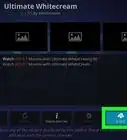
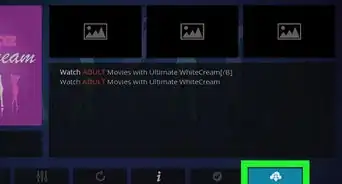
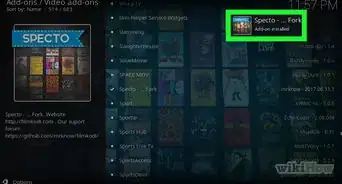
6Scroll down and click Planet MMA. Details about this add-on will appear.
-
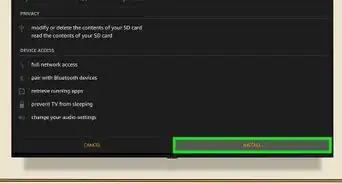
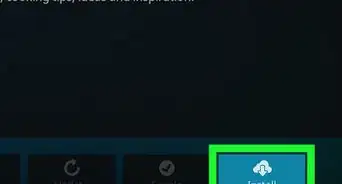
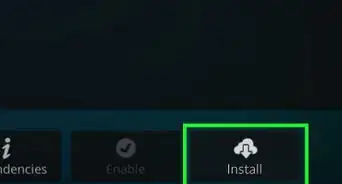
7Click Install. It’s at the bottom-right corner of the window. Once the Planet MMA add-on is installed, you can watch UFC video content in Kodi by accessing it from the Add-ons menu.
-
8Return to the home screen and select Add-ons.
-
9Click Planet MMA. A list of things to watch will appear.
-
10Click UFC Fight Night to start watching. You can watch different types of UFC videos at this location.



About This Article

Nicole Levine, MFA
Tech Specialist
This article was written by Nicole Levine, MFA. Nicole Levine is a Technology Writer and Editor for wikiHow. She has more than 20 years of experience creating technical documentation and leading support teams at major web hosting and software companies. Nicole also holds an MFA in Creative Writing from Portland State University and teaches composition, fiction-writing, and zine-making at various institutions. This article has been viewed 2,292 times.
How helpful is this?
Co-authors: 6
Updated: October 25, 2021
Views: 2,292
Categories: Kodi | Watching Sports
Article SummaryX
1. Allow installs from unknown sources in Kodi.
2. Add the Supremacy repository.
3. Install the Planet MMA add-on.
4. Open Planet MMA.
5. Click UFC Fight Night.
Did this summary help you?