X
wikiHow is a “wiki,” similar to Wikipedia, which means that many of our articles are co-written by multiple authors. To create this article, 10 people, some anonymous, worked to edit and improve it over time.
This article has been viewed 24,523 times.
Learn more...
You might think that it's impossible to walk backward while facing forwards on Roblox. Believe it or not, it's possible!
Steps
-
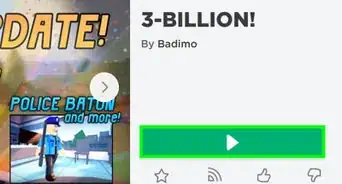
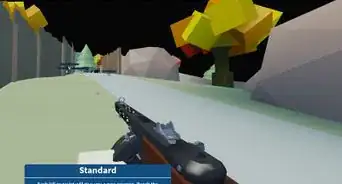
1Join a game. If you haven't signed in yet, you'll need to do so in order to join one.
-
2Find a large area of space that you can walk around.Advertisement
-
3Press " I " until you go to the first-person view.
-
4Face the front when you are in first person. Then press the arrow key down to move. Make sure you are facing forward.
- To do this on a phone/tablet, just go into Roblox and put two fingers on the screen. Move both of them to the edge of the screen until you are in 1st person mode. Then move your character backwards and you should still continue facing forwards while moving backwards.
-
5To stop walking backward, all you do is stop moving. Press O to zoom out.Advertisement


Community Q&A
-
QuestionHow can I twirl on Roblox?
 Iris SullivanCommunity AnswerPress W, A, S and D in that order, or D, S, A and W very quickly over and over again. Make sure you are in third person mode for this to work.
 -
QuestionHow do I walk on a computer?
 ItsJessica13Community AnswerUse WASD or the arrow keys.
 -
QuestionHow do I walk backwards on a iPad or iPhone?
 Community AnswerPinch your screen with two fingers until you're in first-person mode. See that little movement pad at the bottom left of your screen? Drag the little circle backwards, and you'll be walking backwards.
 -
QuestionHow do you shift lock?
 Community AnswerIn settings, go to controls and turn Shift Lock on. Then press shift in game. This is good for certain games.
 -
QuestionHow can you walk on PC in Roblox?
 BustertikoCommunity AnswerBy default, the W key moves you forward, the A key moves you to the left, the D key moves you to the right, and the S key moves you backwards. Essentially use "WASD" like you might use arrow keys to move in a different game.


About This Article
Advertisement