X
wikiHow is a “wiki,” similar to Wikipedia, which means that many of our articles are co-written by multiple authors. To create this article, 45 people, some anonymous, worked to edit and improve it over time.
This article has been viewed 120,850 times.
Learn more...
Roblox is an open-world physics sandbox and building game in which the users use LEGO-like and minecraft-like building bricks to build virtual worlds for people to play. It also teaches children about computer scripting.
Steps
-
1Open a browser window.
-
2Go to the Roblox website.
-
3Go to the sign up section below the Login area.
-
4Fill out all the information.
- If you click Sign Up, you'll also notice that your parent(s) can make an account and log on to Roblox to control your access to Roblox.
-
5Once you've created an account, you can customize your Roblox character, try to get badges on Roblox, maybe even decide to design your place, or start playing a Roblox game!
-
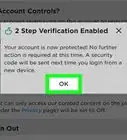
6OPTIONAL: Confirm your email. Go to the "settings" tab and click "Account", then verify your email. Whether you are 13 or under, or over 14, enter your parents' email.


Community Q&A
-
QuestionHow do I sign up on the phone?
 Bun bunTop AnswererInstall ROBLOX mobile, and it should be straightforward from there!
 -
QuestionHow do I customize my character on Roblox?Bun bunTop AnswererPress the 'avatar' button on the left sidebar of your screen.
-
QuestionHow can I make a new Roblox account when I already have one?
 Community AnswerThe same way you made your first one, just with a different username.
Warnings
- When you first start playing, keep in mind that some people may inappropriately call you a "noob"Thanks!