wikiHow is a “wiki,” similar to Wikipedia, which means that many of our articles are co-written by multiple authors. To create this article, 36 people, some anonymous, worked to edit and improve it over time.
The wikiHow Tech Team also followed the article's instructions and verified that they work.
This article has been viewed 344,568 times.
Learn more...
Roblox is a massively multiplayer online (MMO) game that lets you play, create, and share games. Roblox is available on Windows, Mac OS X, and iOS and Android devices. This article describes how to install Roblox on these different platforms.
Steps
Method 1
Method 1 of 4:Installing Roblox on Windows
-
1Download Roblox. Click this link to begin the download.
-
2Double click the downloaded file to begin the installation. Follow the instructions in the setup program that opens to install Roblox.
- Roblox detects your operating systems and sends the correct version for your operating system.
- It can take a while for Roblox to install.
- The Roblox installation file installs a Roblox browser plugin, that will let you play Roblox games, and Roblox Studio, a program for designing Roblox games.
-
3Go to the Roblox website to play Roblox games. Go to http://www.roblox.com/games and then click on a game you'd like to play. Click Play. The Roblox game opens in a new window.


Method 2
Method 2 of 4:Installing Roblox on Mac OS X
-
1Download Roblox. In a browser, go to http://www.roblox.com/download. Click Download Now!. The install file starts downloading.
- Roblox detects your operating systems and sends the correct version for your operating system.
-
2Open the Roblox DMG file in your downloads folder. Double-click Roblox.dmg to open it.
-
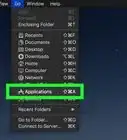
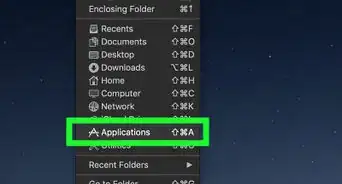
3Click and drag the Roblox.app file to your Applications folder. This file can be found in the RobloxPlayer window.
-
4Open the Roblox app. In the Applications folder, double-click Roblox.app to open it.
- It can take a while for Roblox to install.
- The Roblox installation file installs a Roblox browser plugin, that will let you play Roblox games, and Roblox Studio, a program for designing Roblox games.
-
5Go to the Roblox website to play Roblox games. Go to http://www.roblox.com/games and then click on a game you'd like to play. Click Play. The Roblox game opens in a new window.


Method 3
Method 3 of 4:Installing Roblox on iOS
-
1Open the App Store app on your iOS device.
-
2Touch Search.
-
3Type roblox in the search window.
-
4Touch GET next to ROBLOX Mobile.
-
5Touch INSTALL.
-
6Enter your iTunes Store password, and then touch OK. If you have a device with Touch ID, you can use that instead. ROBLOX Mobile downloads and installs.
-
7Open the ROBLOX Mobile app, and then touch Games to find and play a game.


Method 4
Method 4 of 4:Installing Roblox on Android


Community Q&A
-
QuestionIs Roblox virus-free?
 XBizarreCommunity AnswerYes, many rumors have been going around about how Roblox is not virus-free, however there are no reported viruses you can get on your computer, tablet, etc. The only reason Roblox might slow down your computer is that it's taking up RAM and space.
 -
QuestionIs there any way to speed up the installation process?
 Community AnswerIf you have anything else running on your computer that doesn't need to be on, you can turn those off to hopefully speed up the installation time.
 -
QuestionIf my C drive is being protected by a deepfreeze program, is it okay to install Roblox?
 Community AnswerYes. This shouldn't do anything to your programs that are installed. If it does, then do a system restore.
 -
QuestionWhat do I do when the program won't open?
 Community AnswerRefresh the game, or come back later. Sometimes the program has issues.
 -
QuestionIs Roblox free?
 ExplodingpizzasCommunity AnswerYes, it is a completely free game. The only payments you have to make are for Builder's Club and Robux.
 -
QuestionHow can I install install Roblox on iPad?Community AnswerYou can install it from the app store. Just search for 'Roblox' and download the app.
-
QuestionWhat should I do if it says "access is denied"?Community AnswerTry and use it in administrator or root. (Windows: Right click on the download, Run as Administrator. You may need an Admin Password. Mac OS X: Just copy the file inside the download into the Applications folder. Linux: You can't.)
-
QuestionWhat if the link is not available?
 Community AnswerClick ‘Play’ on one of the games and it should ask you to download ROBLOX.
 -
QuestionHow do I install Roblox on Ubuntu?Community AnswerFirst, install the latest Wine build. Then, download the Windows version of Roblox. Finally, right-click on "Install" and click "Run with Wine."
-
QuestionWhy won't Roblox install on my Windows laptop?GamesShortCommunity AnswerYou have press play on a game, and then when a pop up comes up there's a button that says "Download and Install Roblox". Press that button and then follow what it says for you to do.

About This Article
1. Download Roblox from http://www.roblox.com/install/setup.ashx.
2. Double-click the downloaded file.
3. Follow the on-screen instructions to install.
4. Go to http://www.roblox.com/games to play games.