This article was co-authored by wikiHow Staff. Our trained team of editors and researchers validate articles for accuracy and comprehensiveness. wikiHow's Content Management Team carefully monitors the work from our editorial staff to ensure that each article is backed by trusted research and meets our high quality standards.
The wikiHow Tech Team also followed the article's instructions and verified that they work.
This article has been viewed 283,121 times.
Learn more...
This wikiHow teaches you how to see who is connected to your Android device's active Wi-Fi Hotspot by using the Notification Bar or Settings app.
Steps
Method 1
Method 1 of 2:Notification Bar
-
1Create a mobile hotspot on your device.
-
2Swipe down from the top of the screen.
-
3Tap Tethering or Mobile HotSpot active.
-
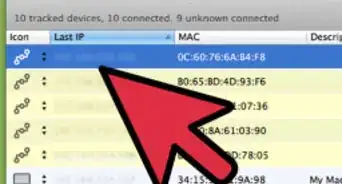
4Scroll down and review the connected users. The connected devices and their MAC addresses will be listed under the "Connected users" section.
- To block a device from your HotSpot, tap BLOCK next to the device you want to prevent from using your device's data connection.


Method 2
Method 2 of 2:Settings
-
1Create a mobile hotspot on your device.
-
2
-
3Tap Wireless & networks.
-
4Tap ⋯ More.
-
5Tap Mobile HotSpot and Tethering.
-
6Tap Mobile HotSpot settings.
-
7Review the connected users. The connected devices and their MAC addresses will be listed under the "Connected users" section.
- To block a device from your HotSpot, tap BLOCK next to the device you want to prevent from using your device's data connection.


Community Q&A
-
QuestionHow can I tell how many people are connected to my WiFi hotspot?
 Community AnswerYou can just count how many addresses/names are on the list with connected users.
 -
QuestionWhen I check my hotspot it has one device tethered and it is showing up as Android system 10.32. What does this mean?
 Community AnswerIt is the model of the phone tethered, meaning that the phone's system has not been renamed by the user.
 -
QuestionOn Android 5.1.1 and later, the notification isn't shown anymore. How does one view the connected clients?Community AnswerInstall an app called "Portable Wifi Hotspot Manager" from Play Store. You can view who's connected, and also set usage limit for your Hotspot.
-
QuestionHow can I disconnect someone who is on my hotspot without turning it off?Community AnswerYou can block them directly, which would disconnect the user.
-
QuestionHow can I find an IP address on who's connected to my hotspot?Community AnswerThere is no way to see someone's IP address.








-Step-34.webp)
About This Article

1. Create a mobile hotspot on your device.
2. Tap Tethering or Mobile HotSpot active.
3. Review the connected users.