X
wikiHow is a “wiki,” similar to Wikipedia, which means that many of our articles are co-written by multiple authors. To create this article, volunteer authors worked to edit and improve it over time.
This article has been viewed 28,939 times.
Learn more...
It’s very easy to connect your Android phone to a network, and you can do it in two ways: connecting to your own wi-fi connection or to a device’s hotspot. Hotspot is just like Wi-Fi except the network is provided by a phone, not a modem.
Steps
Method 1
Method 1 of 2:Using Your Wi-Fi
Method 1
-
1Unlock and open your device. If you have a password input it now.
-
2Go to "Settings. Locate and tap on the icon that resembles a gear.Advertisement
-
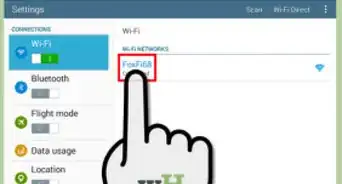
3Tap on Wi-Fi. This will open up the Wi-Fi menu.
-
4Turn on Wi-Fi. A list of networks in the surrounding area will appear. If you have already connected to one of these networks your phone will automatically connect.
- If haven't previously connected to a network you will need to add a new one. Go to the next step on how to add unrecognized networks.
-
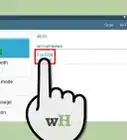
5Enter your network’s SSID/name.
-
6Enter the networks security type. Usually this is set to WEP.
-
7Enter the networks password. Afterward, your phone should connect to the network.Advertisement


Method 2
Method 2 of 2:Using Other Devices’ Hotspot Wi-Fi
Method 2
-
1Go to the "Settings" menu of your phone. Tap on the icon that resembles a gear.
-
2Go to Wi-Fi. Access your Wi-Fi menu by tapping on this option in your settings menu.
-
3Turn on Wi-Fi. If the hotspot is recognized, your phone will connect automatically to the hotspot. This is only if the provider has turned it on.
- If the hotspot is not recognized, you will have to add it. Proceed to the next step to add an unrecognized network.
-
4Enter the hotspot’s name.
-
5Enter WEP for the hotspot security type.
-
6Enter the hotspot provider's password. Your phone should connect automatically if the hotspot is turned on.Advertisement













About This Article
Advertisement