X
wikiHow is a “wiki,” similar to Wikipedia, which means that many of our articles are co-written by multiple authors. To create this article, volunteer authors worked to edit and improve it over time.
This article has been viewed 4,377 times.
Learn more...
Moments are collections of stories showcasing the best of what’s happening on Twitter. They are the best way to get up to date with all the things that interest you the most. This article will teach you how to use Twitter Moments in easy steps.
Steps
-
1Log into Twitter. Go to twitter.com and sign in with your account.
- If you don't have an account, you can sign up for free.
-
2Click on 'Moments' in the top bar. Alternatively, go to twitter.com/i/moments to directly access the Moment page.
-
3Select a topic. Select your favourite topic (e.g; News, Sports, Entertainment, Fun) from the top bar.
-
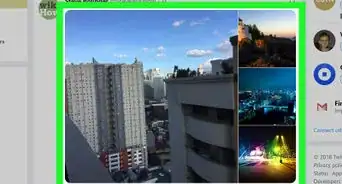
4Explore the entire story. Click on a Moment to view the entire story.
-
5Like a Moment. Explore the moment and click on the Like button if desired. This makes it easier to find them again as they get stored under your 'Likes' section.
-
6Message a Moment to someone. Click on the 3 dots and select Message from there. Now select a user and hit the Send button.
-
7Scroll down to read more. You can also reply and retweet the Tweet from there.