X
wikiHow is a “wiki,” similar to Wikipedia, which means that many of our articles are co-written by multiple authors. To create this article, volunteer authors worked to edit and improve it over time.
This article has been viewed 52,215 times.
Learn more...
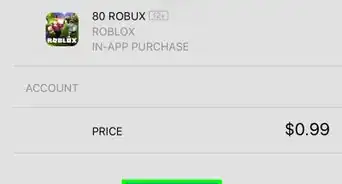
Roblox allows game developers to upload audio files to add something special to their games. Whether you want to add a soundtrack, sound effect, or narration, uploading an audio file can help. You will need Robux for this.
Steps
-
1Log into your Roblox account or create one.
-
2Click "Create".
- "Create" is in the left corner beside "Catalog".
-
3
-
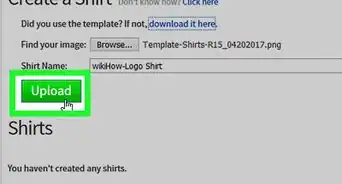
4Click "Browse", and select your audio file.
- The file must be an mp3 or OGG file.
- Audio files must be less than 7 minutes long and smaller than 20 MB in size.
-
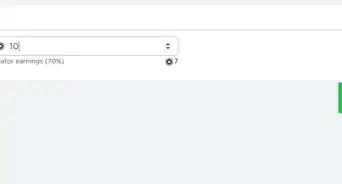
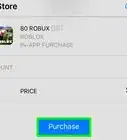
5Estimate the price. It'll cost you Robux.
- It's 20 Robux for 0-10 seconds.
- It's 35 Robux for 10-30 seconds.
- It's 70 Robux for 30 seconds-2 minutes.
- It's 350 Robux for 2-7 minutes.
-
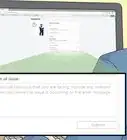
6Wait patiently while it uploads.


Community Q&A
-
QuestionWhat device can I do it on?
 Community AnswerThis can be done on any system that isn't a mobile device (phone, tablet, etc.).
 -
QuestionSo basically, I cannot upload music if I don’t have Robux?
 Yol VerinriiCommunity AnswerYes, it costs Robux to upload music, and the cost of the upload depends of how long the file is. Longer files naturally cost more Robux.
 -
QuestionSo, if the song costs 35 robux for me, do I still get to set the price? Or is that the price people have to pay to get the song?Community AnswerDepending on how long the song is, the price will be set for said audio. All audio is free to use.
-
QuestionWhat happens after you upload the music; does it get its own music ID number, or can you manually set it?
 WikiaWangTop AnswererAfter you upload your audio, it will get its own ID. It should be the string of numbers in the URL after you click the article.
 -
QuestionDo I need to be a premium member for this to work?WikiaWangTop AnswererNo, you do not need a subscription to upload audio, but you do need Robux. This means that you don’t need to be a premium user, but you do need to have a certain amount of Robux.
-
QuestionWhat if you cannot get onto Roblox Studio?WikiaWangTop AnswererMake sure that you have installed/downloaded Roblox Studio. If you cannot download it, make sure you are on a computer, since Roblox Studio does not work for mobile. Also, double check that you have an internet connection.
-
QuestionHow do I create the audio file?WikiaWangTop AnswererDownload a recording on on your computer. Then, if it has the option, select MP3, since audios in Roblox are all MP3.
-
QuestionWhat can you use the audio for?
 RiryCommunity AnswerAudio in Roblox can be used in any games you create in Roblox Studio. Additionally, some games offer a boombox item. If you were to input the audio item's code (the set of numbers in the URL of the audio's page) into the boombox, it will play the audio ingame!