X
wikiHow is a “wiki,” similar to Wikipedia, which means that many of our articles are co-written by multiple authors. To create this article, 9 people, some anonymous, worked to edit and improve it over time.
This article has been viewed 5,875 times.
Learn more...
Roblox is a huge online game, with millions of users playing every month. Like any site with so many users, your account may be a target for hackers. However, improving account security ensures that you will keep your account safe.
Steps
Method 1
Method 1 of 2:Setting Up 2-Step Verification
Method 1
-
1Go to the "Account Settings" tab. This is the first step to setting up 2-Step Verification, which is a very important feature on Roblox, as it makes it practically impossible to log into your account from a new device without having access of your email.[1]
-
2Click "Security".
-
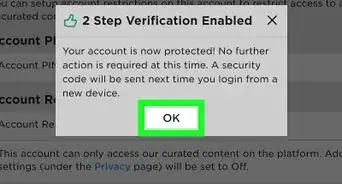
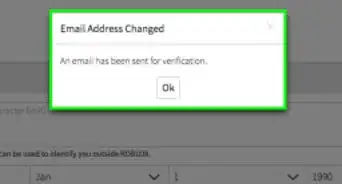
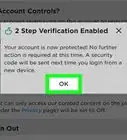
3Find "2 Step Verification" at the top. Click the switch, and 2-Step Verification will automatically be enabled. In order to enable it, however, you must have a verified email address.
-
4Proceed to playing Roblox again as usual. It will not affect your account except making you have a safer game experience.


Method 2
Method 2 of 2:Enabling an Account Pin
Method 2
-
1Click on "Account Settings".
-
2Click on "Security".
-
3Click the switch on "Enable Account Pin".
- If you have followed the steps correctly, it will show you a fragment of your verified email address and a screen asking for you to enter a 4-digit account pin.
-
4Confirm the 4 digit pin.
-
5Go back to playing Roblox as normal. You will have to enter the pin to change certain settings, including your email and password.[2]