X
wikiHow is a “wiki,” similar to Wikipedia, which means that many of our articles are co-written by multiple authors. To create this article, volunteer authors worked to edit and improve it over time.
This article has been viewed 56,640 times.
Learn more...
So you forgot your Linux/Ubuntu/Unix password? No worries, this article will guide you how to reset your Linux password in minutes.
Steps
-
1
-
2Select the option 'Drop to root shell prompt'. After the computer boots in to recovery mode, from the Recovery menu select the option 'Drop to root shell prompt'Advertisement
-
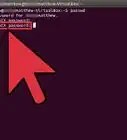
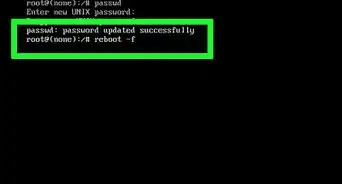
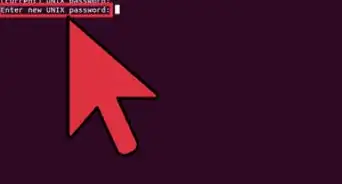
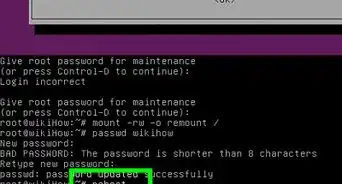
3Type the command. To change the password type the command 'passwd username' and follow the instruction below.
-
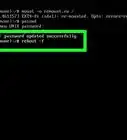
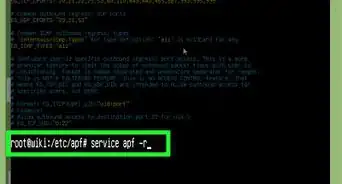
4In case of error. There is a possibility that you may get an 'Authentication token manipulations error' as Filesystem state could be 'Read only'. To fix it, type the following command before the first command. mount -rw -o remountAdvertisement


Community Q&A
-
QuestionWhat do I do if the computer won't accept commands after selecting the "Drop to root shell prompt' option?
 HaxaliciousCommunity AnswerYou need to mount the filesystem as read-write (rw). Do step 4 and type "mount -rw -o remount". You can also go into the recovery menu first, select "fsck" which will mount your filesystem as rw (and it will also check the disk for errors too) and after that you can use the root shell.
 -
QuestionWill it lose my memory?
 Community AnswerIf you are referring to data in your hard disk, there is no data to lose. You are just modifying the file /etc/passwd file by the above-mentioned step.
 -
QuestionHow do I protect my computer from this attack?
 Community AnswerInside a terminal, type sudo nano /etc/default/grub. After finding #GRUB_DISABLE_RECOVERY="true", uncomment that line. Then, exit the nano text editor (make sure to save changes).
 -
QuestionWhat do you mean by boot into recovery mode and how can I do that?
 RohankumaryadavsCommunity AnswerBoot Windows 10 in recovery mode without installation or a recovery disc. Usually a Windows 10 computer will boot into recovery mode when if fails to start for 3 times. So, you can hold the power button to turn off the PC, then power it on. When the Windows logo appears, power it off again. Repeat this process once more to complete it.
 -
QuestionI use this terminal on my tab called "termux". I realised that I have forgotten my password after logging out. What should I do now?
 Agraz Milind21Community AnswerYou must reinstall your Linux OS. There is no other way to get back your password from such a secure system as Linux.

About This Article
Advertisement