X
wikiHow is a “wiki,” similar to Wikipedia, which means that many of our articles are co-written by multiple authors. To create this article, volunteer authors worked to edit and improve it over time.
This article has been viewed 41,609 times.
Learn more...
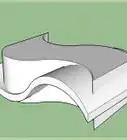
SketchUp can do a lot of things. Make houses, landscape yards, design cars and just about anything else. This article will show you how to make a spring with SketchUp. It's also helpful to learn how to use the tools in SketchUp.
Steps
-
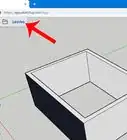
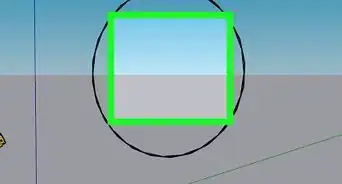
1Create a circle using the Circle tool. With the line tool, draw a line and halve the circle.
-
2Use the Push/Pull tool and pull one of the half circles up. Hold down CTRL and pull up the circle again by the same distance. The screenshot shows them at 6 feet (6').Advertisement
-
3Click on the Arc tool and at the bottom left of the two half circles, click. Then go up to the top right of the two circles and click again. Draw out the arc to approximately match the other half of the circle.
-
4Start deleting everything but the arc you just added.
-
5Make sure that you have the arc as shown in the screenshot.
-
6Select the arc, click on the Move tool, move it, then hold down the CTRL key so that you are moving a copy.
-
7Select the set of arcs that you now have and then repeat the process from before. Once you start to move it, press CTRL and moved a copy and move it a short bit away.
-
8Rotate the ones that were just copied. Click on the Rotate tool and put it on the end of the bottom arc.
-
9Rotate the arcs about 180 degrees. Eye it and move it so that it is roughly in line with the other set of arcs.
-
10With both of the arcs still selected, connect them.
-
11Delete one of the two connected arcs so you have one complete 'coil'.
-
12
-
13Select the whole spring and then click S. This will allow you to scale the coil to the size that you want.
-
14At the end of the coil, add a small circle. Be sure that is perpendicular to the coil.
-
15Select the entire coil. If you can't not select the circle, hold down SHIFT and deselect the circle.
-
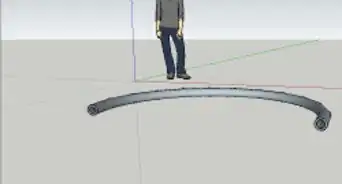
16Click on the Follow Me tool and then on the circle. This will complete the coil.
-
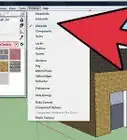
17Select the entire spring, right click on it, and then Soften/Smooth edges. Do that until you like the look of it.Advertisement





About This Article
Advertisement