X
wikiHow is a “wiki,” similar to Wikipedia, which means that many of our articles are co-written by multiple authors. To create this article, 15 people, some anonymous, worked to edit and improve it over time.
This article has been viewed 25,109 times.
Learn more...
If you play Roblox, chances are you've probably seen Face Changers. Face Changers change your avatar's face until you reset your character or die. So,have you ever wanted to make a Face Changer? It's fun and simple, and if you do, this article is for you.
Steps
-
1Log into Roblox, and click Develop. Click "Edit" on any of your existing places or create one.
-
2Once you get in Roblox Studio, go to "View" and open "Toolbox Objects," "Basic Objects," and "Explorer."
-
3Spawn a Face Changer into the Workspace.
- You can color any color you'd like but it's recommended to keep it yellow to see the face image properly.
-
4Go to the Toolbox and click "Search." Under "Search," there should be a grey rectangle that says "Models" with a small arrow next to it. Click the arrow and something like this should pop up. Click "Decals."
-
5Once you've clicked "Decals" images should have appeared. Search "Faces" to find something for your Face Changer.
- If you can't find anything you like, just simply go to the Catalog and find the name of a face you like. Some people have edited the faces and made them something entirely new.
-
6Once you find a decal you like, put it on your Face Changer, and you're all done! Just save and publish to your friends or add to a set. If you make many Face Changers, you can put them together, group them,and make one big Face Changer model everyone will be sure to love.


Community Q&A
-
QuestionHow do I make models in Roblox studio?
 Community AnswerIn ROBLOX Studio, select the parts you want to make a model of and then right click on them. You'll see an option that says "Save to ROBLOX." Click on "Create New," then fill in the model information.
 -
QuestionHow do I find out if a particular face exists already on Roblox?
 Community AnswerGo to Catalog and search for the face you want. You will be able to see whether or not it already exists.
 -
QuestionDoes the crying face exist on Roblox?
 Community AnswerYes.
 -
QuestionHow do I open Roblox studio?
 Vanessa TorresCommunity AnswerRoblox studio should be installed by default. If not, look up "Roblox studio" on your browser. On the results, click on "Roblox Studio - Create - Roblox." Then click "Start creating" and Roblox studio should open.
 -
QuestionDo I need the Roblox app or just Roblox Studio for this?Community AnswerYou only need Roblox Studio, you do not need the app.
-
QuestionHow do I edit faces on Roblox?Community AnswerYou cant change a face in the catalog. They were made by ROBLOX. You can change your face on your avatar.
-
QuestionCan I make Roblox faces free to wear forever?Community AnswerNo, it’s impossible. If it’s a face-changer it won’t edit your real avatar. If you change your face in your real avatar it will change your face, but your face is still changeable.
Warnings
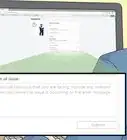
- Some Face Changer morphs may claim to be perfect, but they may have an "Infected" script in them to add a virus to your game, so be careful.Thanks!