X
wikiHow is a “wiki,” similar to Wikipedia, which means that many of our articles are co-written by multiple authors. To create this article, volunteer authors worked to edit and improve it over time.
This article has been viewed 24,720 times.
Learn more...
People all over the world use Twitter and many other social media websites as a way to advertise their businesses and products. If this is something you do, one of the important things you must do is to connect your website to your Twitter so people who are interested in your product or service can get quick and easy access to your website. You will need a desktop or laptop computer in order to connect your website.
Steps
-
1Log in to your Twitter account.
- Keep a note of your username and password so that you will never have to worry about being locked out of your account.
-
2Click on the small gear symbol on the top-right portion of your screen. This will be between the “Direct messages” and “Compose a new tweet” options. After you click on the gear, the site will take you to the Settings page.
- Check on the left side, you will see a clickable list of options.
Advertisement -
3Choose the option that says Profile. After you click Profile, you will see a list of modifiable objects.
-
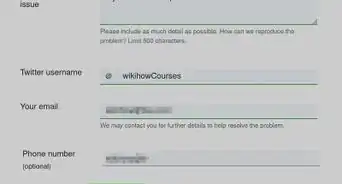
4Look for the Website box. This should be between the “Bio” and Location” boxes on the right side.
-
5Enter in the Website box the direct link to your website you wish for people to see.
-
6Scroll toward the bottom and click “Save changes.” It is CRUCIAL that you click on this box because this confirms that your website will show up on your profile.
-
7Go back to your profile page and see if your website is listed. If it is, for sure others can see it as well.Advertisement


Community Q&A
-
QuestionI tried to put in my URL and got a message saying URL was considered to contain malware. Yet searches of Norton and Microtrend show that the URL is safe. What do I do to stop this?
 Isaac WelchCommunity AnswerWell, you are going to have to make sure that the code of your website does not contain any content that could be considered malware. If that doesn't work, maybe your computer has a virus.












About This Article
Advertisement