X
This article was written by Jack Lloyd. Jack Lloyd is a Technology Writer and Editor for wikiHow. He has over two years of experience writing and editing technology-related articles. He is technology enthusiast and an English teacher.
This article has been viewed 340,188 times.
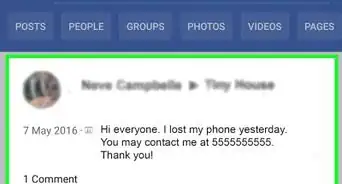
This wikiHow teaches you how to see your memories from the "Memories" or "On This Day" Facebook page. "Memories"/"On This Day" shows you what you were doing on Facebook one or several years back from today's date.
Steps
Method 1
Method 1 of 3:Using an iPhone or iPad
Method 1
-
1Open the Facebook app. It's a white "F" on a blue background.
- If you aren't signed into Facebook, enter your email address (or phone number) and password and tap Log In.
-
2Tap ☰. It's in the bottom right corner of the screen.
-
3Scroll down and tap See More. It's at the bottom of the first list of options here.
-
4Tap Memories. Doing so opens the Memories page.
-
5Scroll down through your memories. Facebook will display several different statuses, pictures, and other media from today's date for past years.
- You'll also see a section at the bottom of the page dedicated to days previous to today's date.


Method 2
Method 2 of 3:Using Android
Method 2
-
1Open the Facebook app. It's a white "F" on a blue background.
- If you aren't signed into Facebook, enter your email address (or phone number) and password and tap Log In.
-
2Tap ☰. It's in the top right corner of the screen.
-
3Scroll down and tap See More. It's at the bottom of the list of options here.
-
4Tap Memories. Doing so opens the Memories page.
-
5Scroll down through your memories. Facebook will display several different statuses, pictures, and other stuff from today's date for past years.
- You'll also see a section at the bottom of the page dedicated to days previous to today's date.


Method 3
Method 3 of 3:Using the Facebook Website
Method 3
-
1Open the Facebook website. Doing so will open your News Feed if you're already logged into Facebook.
- If you aren't logged into Facebook, type in your email address (or phone number) and password in the top right corner of the page and click Log In.
-
2Click See More under the "Explore" tab. The Explore tab is on the left side of your News Feed.
-
3Click Memories. The "Memories" app is what creates the "Memories" posts you see in your News Feed.
-
4Scroll down through your memories. You'll see different statuses, pictures, and other posts from today's date for past years.
- You'll also see a section at the bottom of the page dedicated to days previous to today's date.


Community Q&A
-
QuestionCan I add current picture to memories?
 Community AnswerIf you want to add a picture to Facebook Memories, Post the picture then on the same day 1-9 years later It will show.


About This Article
Article SummaryX
1. Open the Facebook app.
2. Tap the menu.
3. Tap See More.
4. Tap On This Day.
Did this summary help you?