X
This article was co-authored by wikiHow Staff. Our trained team of editors and researchers validate articles for accuracy and comprehensiveness. wikiHow's Content Management Team carefully monitors the work from our editorial staff to ensure that each article is backed by trusted research and meets our high quality standards.
This article has been viewed 15,919 times.
Learn more...
This wikiHow teaches you how to make the things you like on Facebook viewable by only you. You can only do this from a desktop web browser.
Steps
-
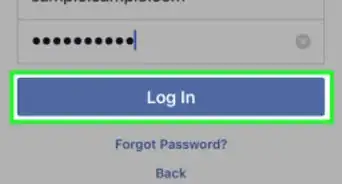
1Open Facebook.com in a web browser.
- If you haven't already signed in, sign in with your Facebook account. You will need to enter your email or phone number and your password.
-
2Click on your name on the left navigation menu. Your name and a thumbnail of your profile picture will be at the top of the navigation menu on the left side of your screen. Clicking on it will take you to your profile.
-
3Click More on the navigation bar at the top of your timeline. Clicking on this button will open up a menu.
-
4Click Likes from the menu. This is the third option from the top on the More menu. Clicking on this will bring up your Likes page.
-
5Click the Manage button. This button looks like a pencil icon in the upper right corner of your Likes window right below your Profile navigation bar. It will open up a menu.
-
6Click Edit the Privacy of Your Likes. This is the third option from the top in the Manage menu. Clicking on it will bring up a list of categories for all of your likes and your privacy settings.
-
7Click on the Privacy icon to the right of one of these categories. The Privacy button could look like a different icon depending on your settings.
- It will look like a world icon if your privacy settings for movies you like are set to Public, and your likes can be seen by everybody.
- It will look like a man and a woman if your privacy settings are set to Friends.
- It will look like a lock icon if your privacy settings are set to Only Me, and nobody other than you can see your movie likes.
-
8Select Only Me from the Privacy menu. This will make your movie likes private; only you will be able to see them.
-
9Select Only Me for every other item on the menu. This will make all of your likes private.
-
10Scroll down and click Close. This will save your privacy settings and close the pop-up list.


Warnings
- Mobile Facebook apps don't let you change your privacy settings for your likes.Thanks!
About This Article

wikiHow Staff
wikiHow Staff Writer
This article was co-authored by wikiHow Staff. Our trained team of editors and researchers validate articles for accuracy and comprehensiveness. wikiHow's Content Management Team carefully monitors the work from our editorial staff to ensure that each article is backed by trusted research and meets our high quality standards. This article has been viewed 15,919 times.
How helpful is this?
Co-authors: 4
Updated: June 1, 2021
Views: 15,919
Categories: Facebook Basics