X
wikiHow is a “wiki,” similar to Wikipedia, which means that many of our articles are co-written by multiple authors. To create this article, 9 people, some anonymous, worked to edit and improve it over time.
This article has been viewed 524,460 times.
Learn more...
To Install Windows Programs in Ubuntu you need the application called Wine. If you don't have this application installed on your system, here are explanations of how to do it. Wine will let you run Windows software on Ubuntu. It's worth mentioning that not every program works yet, however there are a lot of people using this application to run their software. With Wine, you'll be able to install and run Windows applications just like you would in Windows OS.
Steps
-
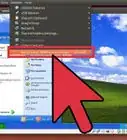
1Go to Applications > Ubuntu Software Center which is located in Main menu.
-
2When you open Ubuntu Software Center you will need to type 'wine' in search function which are located on the right upper corner of the window and hit Enter.
-
3Choose 'Wine Microsoft Windows Compatibility Layer' package.
-
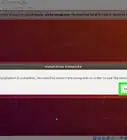
4Click on the 'Install' button, after that when it asks you for password, type the password and click on 'Authenticate' button or just hit Enter.
-
5While you installing this application, somewhere in the middle, you will be asked to confirm EULA license terms. To do that, mark that little white box and click on 'Forward' button.
-
6Now when Wine is installed, go to Applications > Wine, where is Wine located and try to explore a little, to see what options this application has.
-
7Now first what you need to do is to locate your setup.exe. where is located and then right click with your mouse on that file.
-
8Now click on 'Permissions' option and then mark that little box beside 'Allow executing file as program' option. After that click on 'Close' button.
-
9Now when you click with left mouse button on the setup.exe, file will start run.


Community Q&A
-
QuestionWhen I install an app on my computer, it asks for a password. Why is this?
 Living ConcreteTop AnswererSome applications require administrator permissions in order to be installed. Simply enter your account password to continue.
 -
QuestionWhat can I do if I don't have an internet connection to download the software?Living ConcreteTop AnswererDownload the Debian Package (*.dpkg) file onto a flash drive on another computer. Then, put the flash drive into the computer that doesn't have an internet connection. From here, you should be able to run the Debian Package by double clicking on it.
-
QuestionWill it be possible to run Windows games on Ubuntu?
 SomoneCommunity AnswerYes, but not all games work with Wine yet. You can check Wine's list of compatible programs to see if your game is listed.
 -
QuestionMy Ubuntu Software Center is not responding. Is there any solution for this?SomoneCommunity AnswerMake sure your computer is up to date. Go to Update Manager, click "Refresh", "Select all", then "Install". Restart your computer and try again. If it does not work, then you can install some programs from terminal commands.