X
wikiHow is a “wiki,” similar to Wikipedia, which means that many of our articles are co-written by multiple authors. To create this article, 31 people, some anonymous, worked to edit and improve it over time.
This article has been viewed 925,113 times.
Learn more...
Want to install programs you want, but because you are new to Linux, don't understand how it works? This article will show you how to install programs in recent versions of Ubuntu.

Method 1
Method 1 of 2:Installing Graphically
Method 1
-
1Click on Dashboard in the side bar.
-
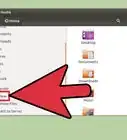
2Search for "Ubuntu Software Center and open it.
-
3On the left side you can select the category of software you want to install. For example, you'd select Sound & Video to install any sound or video software.
- An alternate way is to use the search function and search for the required software.
-
4Select the software you want to install. For example, choose Audacity from the list and click Install.
-
5You will be prompted for the password of that computer. Type it to continue installing the software.Advertisement


Method 2
Method 2 of 2:Installing via Terminal
Method 2
-
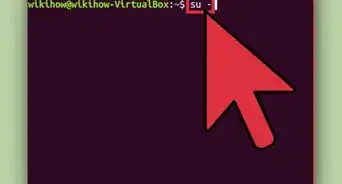
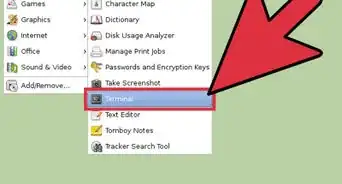
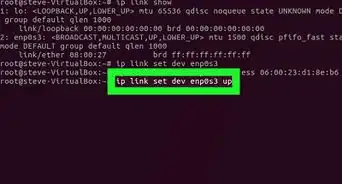
1Open Terminal by typing Ctrl+Alt+T or going in your Dashboard and searching for Terminal.
-
2Enter the following command: “sudo apt-get install firefox” (without quotation marks) to install Firefox, for example. You can swap out "firefox" with the name of whatever software you're installing.Advertisement


Community Q&A
-
QuestionHow do you install .rpm files?
 Community AnswerYou need to install the following packages: alien dpkg-dev debhelper build-essential. Then, run sudo alien package.rpm (where package.rpm is the name of your file). This converts the file into a .deb package. You can now run sudo dpkg -i package.deb to install the debian file.
 -
QuestionHow can I install programs downloaded from websites?
 Community AnswerIf you've downloaded a file in .tar.gz format, you can install it using the Terminal. First, extract the file into a new folder. Once extracted, open Terminal and navigate to the new folder. Type "./configure" and press Enter. After that has finished, type "make" and press Enter. Finally, type "sudo make install" and enter your password when prompted. This will install the program.
 -
QuestionHow do I install the software if I do not know the administrative password?
 Community AnswerYou can't install the software without an admin password.
 -
QuestionWhen I use the command ./configure it says permission denied, what can I do?Community AnswerFirst check to make sure the configure script is executable. From the terminal, type chmod +x configure. If you are still not able to configure, try running the script as root. sudo ./configure
-
QuestionWhat do I do if my download fails when installing software in Ubuntu?Community AnswerTry using a different repository or download it manually. Ensure that all of the dependencies of the requested program are installed before installing it. After that, go to the folder where the program is downloaded and run "dpkg -i name_of_program.deb" there.
-
QuestionCan I install software in Ubuntu that isn't already present in the Ubuntu software center?Community AnswerYes, you can.
-
QuestionI cannot access Ubuntu software center, what should I do?
 SomoneCommunity AnswerIf your Ubuntu Software system is not working, then you probably have a version of Ubuntu that is too old and is no longer supported. You will have to upgrade to a newer version of Ubuntu.
 -
QuestionWhy doesn't it work without Internet?SomoneCommunity AnswerAn Internet connection is required in order to download the software in the first place. The programs are not stored on your computer.
Quick Summary
About This Article
Advertisement