This article was co-authored by wikiHow Staff. Our trained team of editors and researchers validate articles for accuracy and comprehensiveness. wikiHow's Content Management Team carefully monitors the work from our editorial staff to ensure that each article is backed by trusted research and meets our high quality standards.
The wikiHow Tech Team also followed the article's instructions and verified that they work.
This article has been viewed 4,445 times.
Learn more...
This wikiHow teaches you how to hide a Viber chat, and remove it from the list of your recent conversations without deleting its contents, using Android.
Steps
-
1Open Viber Messenger on your Android. The Viber app looks like a purple speech bubble with a white telephone icon in it. You can find it on your Apps menu.
-
2Tap the CHATS tab. This button is located in the upper-left corner of your screen. It will open a list of all your recent chats.
-
3Tap and hold the chat you want to hide. This will open your options on a pop-up menu.
-
4Tap Hide chat on the menu. You will have to confirm your action in a new pop-up.
-
5Tap SET PIN. You will be prompted to create a 4-digit Viber PIN in a new pop-up.
- Your Viber PIN is different from your Android's screen lock or security code.
- If you've created a Viber PIN before, you can skip this step, and just tap OK.
-
6Create your Viber PIN. Enter a 4-digit PIN number to secure your hidden chats in Viber.
- If you want to see a list of all your hidden chats, you can open the search, and type your 4-digit Viber PIN.
-
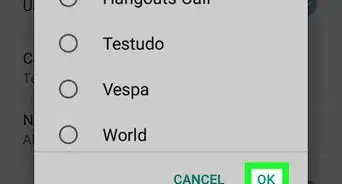
7Tap OK. This button is located in the lower-right corner of the pop-up. It will confirm your PIN, and hide the selected conversation from your CHATS list.
- When you hide a chat, it will disappear from all your devices.









About This Article

1. Open Viber.
2. Tap CHATS.
3. Tap and hold a chat.
4. Tap Hide chat.
5. Tap SET PIN.
6. Create a 4-digit Viber PIN.
7. Tap OK.