This article was co-authored by wikiHow staff writer, Hannah Madden. Hannah Madden is a writer, editor, and artist currently living in Portland, Oregon. In 2018, she graduated from Portland State University with a B.S. in Environmental Studies. Hannah enjoys writing articles about conservation, sustainability, and eco-friendly products. When she isn’t writing, you can find Hannah working on hand embroidery projects and listening to music.
This article has been viewed 1,665 times.
Learn more...
In modern times, connecting to the internet has become a necessity. However, access to WiFi isn’t always available, and some internet plans can be expensive. If you’re looking for free WiFi at home, there are a lot of options you can choose from to cut costs as you browse the world wide web.
Steps
Method 1
Method 1 of 7:Phone hotspot
-
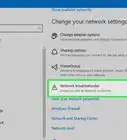
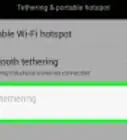
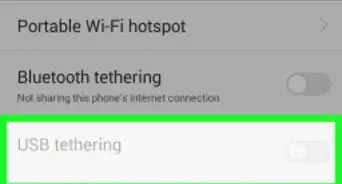
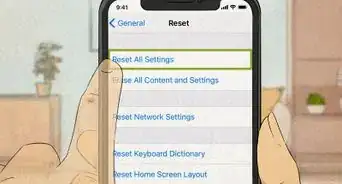
1Your phone network can provide WiFi to other devices. Head into your settings and click on “Hotspot,” then enable it. Set up a password and use it to connect to WiFi on your tablet or your computer. Keep in mind that a hotspot uses cellular data—if you don’t have an unlimited amount, you could run out.[1]
- If you only need to use a hotspot on one device, use a USB cable to tether your phone to your computer or tablet. Then, turn on your hotspot, but choose “tethering” instead of Bluetooth.
Advertisement

Method 2
Method 2 of 7:Everyoneon.org
-
1Low income homes may qualify for free WiFi through this program. Head to their website and enter in your zip code and how much you make in a single year. If you’re eligible, you can submit an application to get free WiFi through one of the internet providers in your area.[2]
- To see if you’re eligible, visit https://www.everyoneon.org/find-offers and enter your zip code.

Method 3
Method 3 of 7:Comcast
-
1This company offers free WiFi for 60 days. If you don’t have a Comcast account already, you can call and sign up for 2 free months of WiFi. After that, you can either cancel your account or sign up for a paid subscription.[3]
- To sign up for Comcast, visit https://corporate.comcast.com/press/releases/comcast-extends-free-internet-service-new-internet-essentials-customers.
Advertisement

Method 4
Method 4 of 7:Altice (Optimum)
-
1If you’re a student, you can get free WiFi for 60 days. Head to their website to see if you’re eligible, then call a service provider to sign up. After 2 months, you can either cancel your subscription or sign up for a paid account.[4]

Method 5
Method 5 of 7:Verizon
-
1The Verizon Lifeline program offers free WiFi to low income households. Head to their website and fill out an application to see if you’re eligible. If you are, you can then call Verizon and get started on a free Lifeline account.[5]
- To see if you qualify, visit https://www.verizon.com/support/residential/account/manage-account/lifeline-discount.
Advertisement

Method 6
Method 6 of 7:Cox
-
1If you have a K-12 student, you may qualify for 2 free months. Head to the Cox website and enter in your location and how much you make to get started. If you have a child in the home who is still in school, Cox will provide you with 60 days of free WiFi.[6]
- To start your application, visit https://www.cox.com/residential-shop/wls/order-cox-services.html.

Method 7
Method 7 of 7:Neighborhood WiFi
-
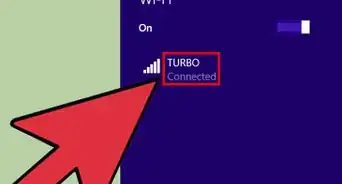
1Your neighborhood can give you access to free WiFi. Head over to a neighbor’s house and ask them if you can use their WiFi. They might not agree, but if they do, you can use their password to connect to their network.[7]
- If any of the WiFi networks nearby your home are unlocked (meaning they don’t have a password), click on them and try to connect. You never know—you might just find your new WiFi hub right from your home!
Advertisement

References
- ↑ https://helpdeskgeek.com/how-to/how-to-get-wifi-without-an-internet-provider/
- ↑ https://www.everyoneon.org/find-offers
- ↑ https://www1.nyc.gov/site/mopd/resources/list-of-providers-offering-free-wifi.page
- ↑ https://www.alticeusa.com/news/articles/feature/corporate/altice-usa-brings-free-broadband-k-12-and-college-students-during-coronavirus-pandemic
- ↑ https://www.verizon.com/support/residential/account/manage-account/lifeline-discount
- ↑ https://www.innovate.ri.gov/covidwifi
- ↑ https://helpdeskgeek.com/how-to/how-to-get-wifi-without-an-internet-provider/
About This Article