X
wikiHow is a “wiki,” similar to Wikipedia, which means that many of our articles are co-written by multiple authors. To create this article, 11 people, some anonymous, worked to edit and improve it over time.
This article has been viewed 210,578 times.
Learn more...
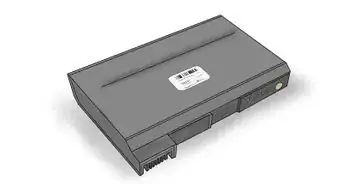
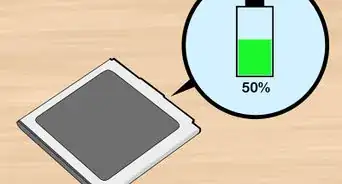
Fully discharging and recharging a Nickel-based laptop battery can result in better battery performance and longer battery life. Here are two ways to discharge your Nickel-based battery.
Steps
Method 1
Method 1 of 2:Draining the Battery While Using Your Computer
Method 1
-
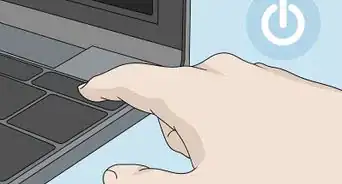
1Disable Hibernation on your computer temporarily. This will allow your battery to drain fully.
-
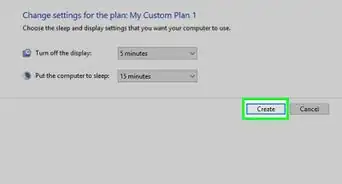
2Select the Power Meter icon on the taskbar, or select Start > Control Panel > Performance and Maintenance > Power Options > Power Schemes
-
3Write down the three settings in the Plugged In column and the settings in the Running on Batteries column, so you can reset them after calibration.
-
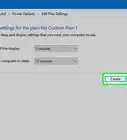
4Select the drop-down lists and set all six options in both columns to "Never."
-
5Select the "OK" button.
-
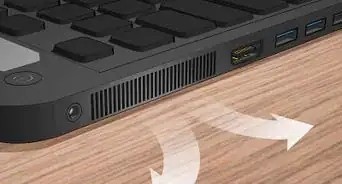
6Disconnect the notebook from the external power source, but do not turn off the notebook.
-
7Run the notebook on battery power until the battery pack is fully discharged. The battery light begins to blink when the battery pack has discharged to a low-battery condition. When the battery pack is fully discharged, the Power/Standby light turns off and the notebook shuts down.


Method 2
Method 2 of 2:Using the BIOS Screen
Method 2
-
1Before you begin any of the following steps, make sure to write down the three settings in the Plugged In column, as mentioned above.
-
2You can also discharge your battery using the BIOS screen.
-
3Restart your computer.
-
4Press the "Del" key as soon as your computer turns on again.
-
5Go to the BIOS screen. Your computer should automatically boot to the BIOS screen after you press the "Del" key. The BIOS screen will not allow your computer to shut down or go into hibernation.
-
6Let your computer battery run down until the Power/Standby light turns off.


Community Q&A
-
QuestionHow do I drain the old laptop lithium battery properly?
 Community AnswerAll you need to do is connect as many devices as possible to the USB ports and leave them there until all of the laptop lights turn off.
 -
QuestionWhy won't my laptop charge?
 Community AnswerThe battery is probably dead or damaged. You will need to replace it. Find your model's serial number and search for a new battery online, or contact the computer's manufacturer.
 -
QuestionWhat should I do if my charge lasts for 4 hrs?
 Community AnswerIf you're looking to let the computer go dead, you will have to wait for it to get to 0.
Warnings
- Not all laptop batteries require a discharge due to the type of battery they provide. Please make sure the battery you have is a type that should have discharging. If you discharge a battery that does not require discharging, it will lead to the life of the battery being shorter.Thanks!
- Do not fully discharge your laptop battery too many times, just one per month, usually charge your battery in 20% state.Thanks!