This article was co-authored by wikiHow Staff. Our trained team of editors and researchers validate articles for accuracy and comprehensiveness. wikiHow's Content Management Team carefully monitors the work from our editorial staff to ensure that each article is backed by trusted research and meets our high quality standards.
The wikiHow Tech Team also followed the article's instructions and verified that they work.
This article has been viewed 128,430 times.
Learn more...
This wikiHow teaches you how to find out the usernames of people who've liked or retweeted your tweet on Twitter. If you have hundreds or thousands of likes and/or retweets, you may not see the entire user list due to Twitter limitations.
Steps
Method 1
Method 1 of 2:Using a Phone or Tablet
-
1Open the Twitter app on your phone or tablet. It's the blue bird icon typically found on the home screen (iPhone/Android) or in the app drawer (Android).
- If you're not already signed in, follow the on-screen instructions to sign in now.
- If you don't already have the app, you can download it for free from the App Store or Play Store.
-
2Tap your profile photo. It's at the top-left corner of the app. A menu will expand.Advertisement
-
3Tap Profile. It's near the top of the menu.
-
4Tap the tweet you want to check. This opens the tweet on its own page.
-
5Tap Likes or Retweets under the tweet. This displays the list of people who've retweeted or liked your tweet.Advertisement


Method 2
Method 2 of 2:Using a Computer
-
1Go to https://www.twitter.com in a web browser. If you're not already signed into your account, you should do so now.
-
2Click Profile. It's in the menu that runs along the left side of Twitter. This displays your profile content and tweets.
-
3Click the tweet to want to check. This opens the tweet in its own page.
-
4Click Retweets or Likes below the tweet. This displays the list of people who've retweeted or liked your tweet.Advertisement


Community Q&A
-
QuestionHow can I view what they retweeted from my post?
 CapturethemomentCommunity AnswerTwitter offer their own search tool where you can follow the post. A third-party app might help, Backtweets is a great way to track certain links.
 -
QuestionCan I privately like a tweet?
 Community AnswerNo, all likes on tweets will be public.
 -
QuestionWhy does it say 'no items' when I press both retweets and likes, even though it says people have liked it or retweeted it?
 Jesús DiazCommunity AnswerTry to update your Twitter App. Updating new features of the app can help the app better performance and better service.
 -
QuestionHow to find all people who retweeted a tweet? Clicking the retweet link gives me 79 people, when it says I had 285 retweets for this particular tweet.
 Ronald Mugambi PimsonCommunity AnswerClick the tweet and open it separate from your timeline, and click the number of retweets, it will display all the tweets, tweets with comments and tweets without comments
 -
QuestionIf I am clicking like, it is liking my post instead of showing me the likers.Ronald Mugambi PimsonCommunity AnswerTwitter offer their own search tool where you can follow the post. A third-party app might help, You may be able to see who liked your tweets by using TweetDeck which is a social media dashboard application for the management of Twitter accounts.
-
QuestionMy tweet has been liked but shows no like activity?Ronald Mugambi PimsonCommunity AnswerIf someone liked your tweet and their Twitter account is private, you won't be able to see who they are unless they have given you permission to follow them.
-
QuestionEvery time I followed each instructions, all that happens when I click on the like is adding another one... Any other ides?Ronald Mugambi PimsonCommunity AnswerUnless you've made your tweets private, you can see who liked your tweets by looking in your Twitter notifications.












About This Article

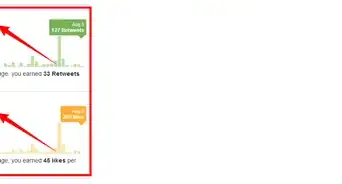
1. Go to Twitter.
2. Select your tweet.
3. Click on the Retweets or Likes number.