X
wikiHow is a “wiki,” similar to Wikipedia, which means that many of our articles are co-written by multiple authors. To create this article, volunteer authors worked to edit and improve it over time.
The wikiHow Tech Team also followed the article's instructions and verified that they work.
This article has been viewed 25,895 times.
Learn more...
A Twitter list is a curated group of Twitter accounts and you can create multiple lists or subscribe to other lists. Do you want to find out how many Twitter lists you are on? Learn how to do it!
Steps
-
1Log in to Twitter. Go to www.twitter.com in your web browser. If you’re not signed in to your account, enter your username and password and click Log In.
-
2Navigate to Lists tab. It's located at the left panel.
-
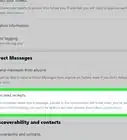
3Move to the “Member” section. Just click on the Member text, right after Subscribed.
-
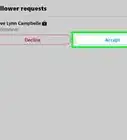
4Done. Now you will see the lists and each list's creator on the page. You can also see the number of members on the list. Finished!