This article was written by Darlene Antonelli, MA. Darlene Antonelli is a Technology Writer and Editor for wikiHow. Darlene has experience teaching college courses, writing technology-related articles, and working hands-on in the technology field. She earned an MA in Writing from Rowan University in 2012 and wrote her thesis on online communities and the personalities curated in such communities.
This article has been viewed 1,269 times.
What do you do when the comment you posted on Facebook contains an embarrassing error? You could reply to your comment with your edit, or you could simply edit the comment itself. This wikiHow will show you how you can edit a comment using the Facebook mobile app and website.
Steps
Method 1
Method 1 of 2:Using the Mobile App
-
1Open Facebook. This app icon looks like an "f" on a blue background. You'll find this on the Home screens, in the app drawer, or by searching.
-
2Go to the comment you want to edit. If you didn't close the app or return to your News Feed, you should still be on the page with your comment. If you navigated away from the original comment, you can find it by searching for the original post.
-
3Tap and hold your finger on your comment. You should feel a slight vibration and see a menu slide up from the bottom.
-
4Tap Edit. You'll see this near the bottom of the menu.
-
5Edit your post. Your original comment will appear and you can edit it as needed.
-
6Tap Update. The edit window will close and you'll see your edited comment on the original post.


Method 2
Method 2 of 2:Using Facebook.com
-
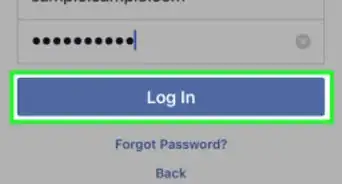
1Go to https://facebook.com and log in. You can use the mobile or desktop version of the website to continue.
-
2Go to your comment you want to edit. If you didn't close the app or return to your News Feed, you should still be on the page with your comment. If you navigated away from the original comment, you can find it by searching for the original post.
-
3Click ••• . It's the three dots that appear to the right of your comment when you hover over it.[1]
-
4Click Edit. Your comment will open in a window that you can edit.
-
5Press ↵ Enter or ⏎ Return. You'll see the comment in the original post thread.
- You can cancel the edit by pressing Esc.





References
About This Article

1. Open Facebook.
2. Tap in the text field that says, "What's on your mind?"
3. Edit your post.
4. Tap Update.