X
wikiHow is a “wiki,” similar to Wikipedia, which means that many of our articles are co-written by multiple authors. To create this article, volunteer authors worked to edit and improve it over time.
This article has been viewed 51,432 times.
Learn more...
If you've installed Crouton on your Chromebook, you may be wondering how to delete a chroot after Crouton has been installed. There are multiple methods to go about it.
Steps
Method 1
Method 1 of 2:Using Powerwash
Method 1
-
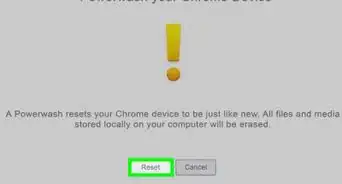
1Know what Powerwash is. Powerwash is a feature in the Chromebook that factory resets the device. Be aware that your data will be erased. This can also be called 'factory reset'.[1]
-
2Open the settings. Scroll down to advanced settings, and click Powerwash.[2]Advertisement
-
3After the Powerwash is complete a dialog box will appear. Click restart.[3]
-
4Setup your Chromebook, just like when you first got it.[4]Advertisement


Method 2
Method 2 of 2:Using Crosh
Method 2
-
1Use Crosh with caution. It is one of the most efficient ways to delete a chroot, but it's also risky if you don't know what you're doing. If you don't want to do this method, try Powerwash instead.
-
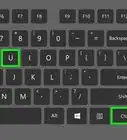
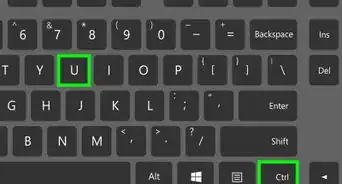
2Open up Crosh. You can do this by pressing Crtl+Alt+T[5]
-
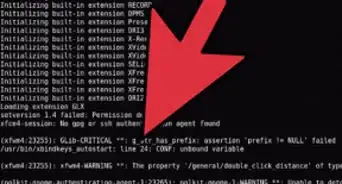
3Enter Shell. Type shell. If you're in developer mode this should work.[6]
-
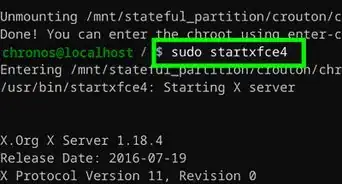
4Type sudo delete-chroot precise into Crosh.[7]Advertisement


Community Q&A
-
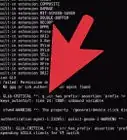
QuestionIt doesn't work. When I type in "sudo delete-chroot precise", it says "/mnt/stateful_partition/crouton/chroots/precise not found". Any idea why?
 Community AnswerYou will need to replace "precise" with your chroot name (ex: /mnt/stateful_partition/crouton/chroots/xenial).
 -
QuestionWhat do I do if I typed in sudo delete-chroot unity and it didn't work?Community AnswerIf you installed the Chroot "unity", you'll need to type this instead of what you typed: sudo delete-chroot xenial .
-
QuestionCan you explain what a "chroot" is in simpler terms and why I would want to get rid of it?Community AnswerA chroot is a Unix-like operating command that changes the apparent root directory for the current processes that are running (like tasks). This includes its children too.
-
QuestionHow do you install Windows on an Acer Chromebook c670?
 Community AnswerMake a boot pendrive and change the boot from the bios (when the machine starts F1 or F2). Then boot from the pendrive that you made and click "install windows".
Warnings
- As mentioned, you may break your Chromebook doing the Crosh method.Thanks!
Advertisement
References
- ↑ https://www.cnet.com/tech/computing/what-does-it-mean-to-powerwash-a-chromebook/
- ↑ https://www.mlsd161.org/apps/pages/powerwash
- ↑ https://support.google.com/chromebook/answer/183084?hl=en
- ↑ https://www.mlsd161.org/apps/pages/powerwash
- ↑ https://community.spiceworks.com/how_to/147047-how-to-access-the-chrome-shell-crosh-on-a-chromebook
- ↑ https://ostoday.org/linux/what-is-chroot-in-linux.html
- ↑ https://ostoday.org/linux/what-is-chroot-in-linux.html
- https://github.com/dnschneid/crouton#help-ive-created-a-monster-that-must-be-slain
About This Article
Advertisement