X
wikiHow is a “wiki,” similar to Wikipedia, which means that many of our articles are co-written by multiple authors. To create this article, volunteer authors worked to edit and improve it over time.
This article has been viewed 37,501 times.
Learn more...
If you are creating a building that you that has odd dimensions that you want a uniform slope on, read this article to learn how.
Steps
-
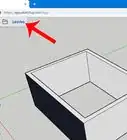
1Create an odd shaped building. An L shaped building in this article.
-
2Use the Pencil tool to draw a straight line that goes off of the building you created at a perpendicular angle.Advertisement
-
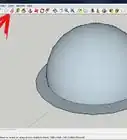
3Be sure that you are looking pretty straight on to your image. Then click on the Protractor tool.
-
4Click the first point on the end of your line, the second point on the top of the roof and the third point above them. Then type 45 (135). Type 45 and if the angle is wrong, try 135.
-
5Create a triangle surface. Wherever you want the peak at, draw a line from there, along the guideline, along the roof. This will give you a triangular piece of the roof.
-
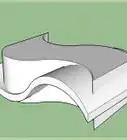
6Click on the path (roof surface) to select, then click on the Follow Me tool and then click on the profile (triangle roof piece). This will create the roof over the structure, to include the eaves. If you did it right, you will see some funky structures on your roof. That's OK.
-
7Triple click on the roof, so that it is all selected.Right click on the selection and select Intersect >> Intersect with Model. What this does is give you lines that you can select with your eraser to delete the parts that you don't need.
-
8Click on your eraser tool and erase the parts of the roof that you don't want. Use the Orbit key to move around and make sure you got it all.Advertisement



About This Article
Advertisement