X
wikiHow is a “wiki,” similar to Wikipedia, which means that many of our articles are co-written by multiple authors. To create this article, volunteer authors worked to edit and improve it over time.
This article has been viewed 1,460 times.
Learn more...
If you want to be secure and create your own random password generator instead of having an app or website do it for you, you can create one in Python. This wikiHow will show you how to keep your information safe by creating a random password generator.
Steps
-
1Import a random library.
-
2Create a function that allows you to shuffle the string.
-
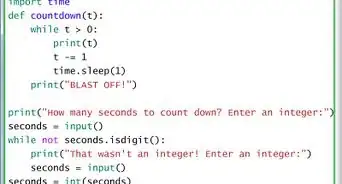
3Ask for the user to input the length they want their password to be.
-
4Create a value that stores an empty list.
-
5Check to see if the user's input is greater than 0. If it is, you can now create your password generator.
-
6Create a loop to iterate through the length of the password.
- Inside the loop, create a value to store your random integers from (33, 126).
- Check to see if your random integer is either 60 or 62
- If it is, add a random integer from 3 - 40 to your integer.
- Convert the random integer into a character.
- Append your random character into your empty list.
-
7Out of your loop, create a value that stores your random character list into it.
-
8
-
9
-
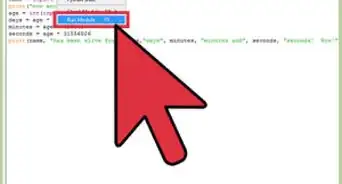
10Now you can run it!