This article was written by Nicole Levine, MFA. Nicole Levine is a Technology Writer and Editor for wikiHow. She has more than 20 years of experience creating technical documentation and leading support teams at major web hosting and software companies. Nicole also holds an MFA in Creative Writing from Portland State University and teaches composition, fiction-writing, and zine-making at various institutions.
This article has been viewed 303,787 times.
This wikiHow teaches you how to find which version of Python is installed on your Windows or macOS computer.
Steps
Method 1
Method 1 of 2:Windows PC


Method 2
Method 2 of 2:macOS
-
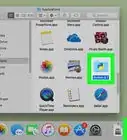
1Open a Terminal window on your Mac. To do this, open the Applications folder in Finder, double-click the Utilities folder, then double-click Terminal.
-
2Type python -V at the prompt (V uppercase).
-
3Press ⏎ Return. The version number will appear on the next line after the word “Python” (e.g. 2.7.3).


Community Q&A
-
QuestionI downloaded Python 3.7 but when I check it says that the version is 2.7. What should I do ? (I tried reinstalling it.)
 faith danielCommunity AnswerTo prevent further hassle, just download the 3.x version or the latest version from the Python website (python.org).


About This Article

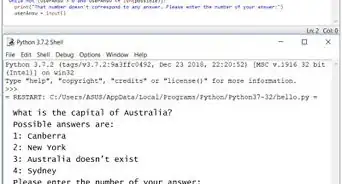
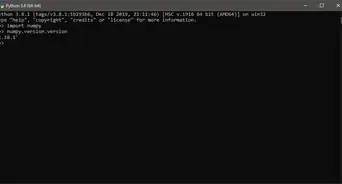
To check which version of Python is installed on your Windows PC, start by opening the Windows Search and typing “Python” into the search bar. When the list of matching results comes up, click “Python” to open a black terminal window to a Python prompt. In the top-left corner of the window, you’ll see a number right after the word “Python,” which is the version that you’re currently running. To learn how to find the version of Python on your Mac, keep reading!