X
wikiHow is a “wiki,” similar to Wikipedia, which means that many of our articles are co-written by multiple authors. To create this article, 14 people, some anonymous, worked to edit and improve it over time.
This article has been viewed 49,729 times.
Learn more...
In Python, and many other programming languages, you will need to loop commands several times, or until a condition is fulfilled. It is easy, and the loop itself only needs a few lines of code.
Steps
-
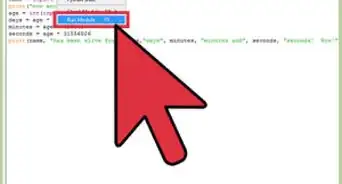
1Open up your shell or program. This may be IDLE, or Stani's Python Editor (SPE). Make sure all subprograms are off if using IDLE.
-
2If you need to loop a definite amount of times, you need a for loop. This is the structure for a for loop:
- for i in range (0, 10):
- print "Hello World"
-
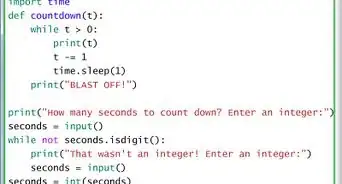
3If you need something to loop forever, or until a condition is met, you need a while loop. A method for both is shown.
- while True:
- print "Hello World"
-
4This will loop forever, or until the program ends. (True will always be True).
- while answer == "Yes" and grade == "6":
- As long as the variables answer and grade are Yes and 6,
-
5If you need to stop a loop, use Ctrl-C. You can always kill the loop in task manager as well.


Community Q&A
-
QuestionHow do you do a nested loop?
 Adam BlalockCommunity AnswerHere is a loop within a loop in Python: x = [0,1,2,3,4], y= [10,11,12,13]. For i in x: For ii in y: print i + ii. (Make sure to do it as a single tab before the second "For" and two tabs for the "print" statement.)
 -
QuestionWhat about web development?
 Community AnswerYou need to learn about Django, the Python framework for web development.
 -
QuestionHow do you use a while loop to repeat a calculator program?
 Community AnswerFirst create a function. For example, if you wanted to square numbers 1 through 100 and print the results to the screen, I would write: def square(x): return x*x for i in range(1, 101): # stop = 101 because the stop value is not included. This will go from 1-100. print(square(i)).