X
wikiHow is a “wiki,” similar to Wikipedia, which means that many of our articles are co-written by multiple authors. To create this article, 13 people, some anonymous, worked to edit and improve it over time.
This article has been viewed 113,273 times.
Learn more...
Subtitles help expand the audience of a video. Multilingual subtitles, for example, help a number of people to understand the message of the speaker without acquiring knowledge of the speaker's language. Although community captions were discontinued in September 2020, you may still want to share subtitles with another user. This wikiHow shows you how to create your own subtitle .txt file to send to a YouTube user.
Steps
-
1Open a text-editing software. On a Windows PC, you can open Notepad.
-
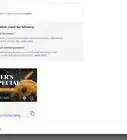
2Follow the exact format. Make sure that the timestamp is correct, otherwise your subtitles might not be in sync with the video.Advertisement
-
3Type the subtitles. Add extra timestamps if necessary.
-
4Save your work as a .txt file.
-
5Send the file to the YouTube user. See Message Someone on YouTube on how to send a message.Advertisement


Community Q&A
-
QuestionWill I get money after contributing this?
 Community AnswerNo, it's just a way to help others' videos.
 -
QuestionWhat do I do if the subtitles I put on a video on YouTube haven't been approved yet? Do I need to do anything for them to be approved?
 blockshift 758Community AnswerYou don't need to do anything after that. You just need to wait for it to get reviewed, then approved.
 -
QuestionHow do I make fancy subtitles?
 RubyTop AnswererThere is no way to make "fancy" subtitles. It depends what you mean by "fancy", but all subtitles should follow the same format. Subtitles are there for accessibility, not aesthetics.
 -
QuestionCan I still add subtitles to someone else's video?RubyTop AnswererNo, as of September 2020, community captions are no longer an option. You can request for the creator to subtitle their own videos, or write down the videos transcript and send it to the creator to change into subtitles.
About This Article
Advertisement