This article was co-authored by wikiHow staff writer, Hannah Madden. Hannah Madden is a writer, editor, and artist currently living in Portland, Oregon. In 2018, she graduated from Portland State University with a B.S. in Environmental Studies. Hannah enjoys writing articles about conservation, sustainability, and eco-friendly products. When she isn’t writing, you can find Hannah working on hand embroidery projects and listening to music.
There are 8 references cited in this article, which can be found at the bottom of the page.
This article has been viewed 72,133 times.
Learn more...
If you’ve been on YouTube for a little while, you’ve probably noticed the VTuber trend that’s been popping up since 2017. VTubers, or Virtual YouTubers, talk to their audience through an avatar instead of showing their faces. As this trend becomes more and more popular (and VTubers get more and more subscribers), tons of people want to know: how do they do it? We’ve answered your questions about becoming a VTuber so you can achieve your virtual dreams on YouTube.
Steps
Question 1
Question 1 of 6:What equipment do you need to become a VTuber?
-
1Get a good quality computer with high-speed internet. No matter what kind of content you’re creating, this will be key. In general, you’ll probably want a newer desktop computer with at least 8 GB of RAM. A laptop works too, but it may run a little bit slower with the software you’ll need for VTubing. [1]
-
2You need a motion-tracking webcam. Pick out a webcam that will recognize your face and translate your expressions onto an avatar. You can find a decent webcam like this for under $100, like the Logitech Pro or the Microsoft LifeCam.[2]Advertisement
-
3You can upgrade to a VR rig if you want to later on. It’s not necessary to track all of your movements (like your hands, legs, and feet) when you’re first starting out. However, if you ever want to upgrade your avatar to a full-body one, you might consider getting a VR, or virtual reality setup. You can find a decent VR headset for around $400.[3]Advertisement

Question 2
Question 2 of 6:Which software should I use for VTubing?
-
1Facerig, Luppet, VSeeFace, and VTube Studio are a few popular ones. You can download most of these applications on both Windows and Mac. Some of them will help you create an avatar, while others are strictly for capturing motion and streaming your character.[4]
- Wakaru, 3tene, and Puppemoji are also good options.
- Most of these websites require a monthly or a one-time download fee. The price varies greatly depending on which one you’re using, but you can expect to spend around $100 on your software.

Question 3
Question 3 of 6:How much does it cost to become a VTuber?
-
1Expect to spend between a few hundred and a few thousand dollars. The exact amount depends a lot on what you already have and how much you want to upgrade your equipment and your avatar. At minimum, you may have to shell out a few hundred dollars for a new webcam and a program to create a 3D model.[5]
- Feel free to get started as a VTuber with a limited amount of equipment. Over time, as you get better and start making money, you can upgrade your situation.
Advertisement

Question 4
Question 4 of 6:How do I create a 3D model?
-
1Make your own in an online studio. If you want to customize your model, try using a program like Blender or Pixiv. In these studios, you can create a model from scratch, sculpting the facial features, body, and clothing items on your own. Both Blender and Pixiv have free versions, but they are slightly limited in what you can do. If you want to upgrade your account, you can pay a monthly fee of around $5 for full access.[6]
-
2Commission an artist to make you one. If you aren’t feeling super artistic, try reaching out to an animator or a Photoshop expert to make a model for you. Find an artist in the community by searching “3D model commission” on Twitter or Google. Rates vary, but you can expect to spend around $50 to $100 for a commission.[7]Advertisement

Question 5
Question 5 of 6:Can you be a VTuber on mobile?
-
1Yes, if you download VTube studio. This app lets you upload your 2D model directly onto your phone and track your facial movements. Keep in mind, though, that it doesn’t support 3D models just yet.[8]
- The iOS version (for Apple devices) has pupil tracking, but the Android version doesn’t.
- To download VTube studio, visit https://play.google.com/store/apps/details?id=com.denchi.vtubestudio&hl=en_GB.

Question 6
Question 6 of 6:How do I join Hololive?
-
1Find out when they’re holding auditions. Hololive holds auditions every time they want to find new VTubers. They don’t have a set schedule, so you can check the website periodically to find out when they’re open by visiting https://en.hololive.tv/audition.[9]
-
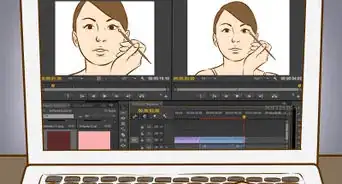
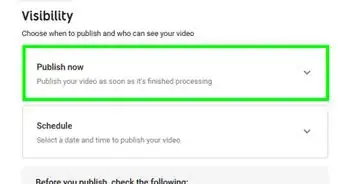
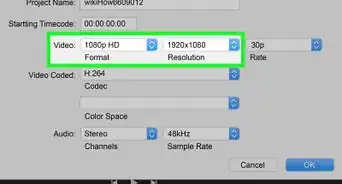
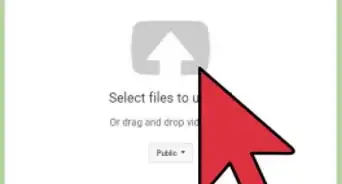
2Submit an online application. After you hit “Apply” on the Hololive auditions page, you’ll be transferred to an online questionnaire. Usually, the questionnaire will ask you to submit a 5-minute video explaining who you are and what your online persona is.[10]
-
3Go through the interview process. If your application is accepted, you’ll be invited to interview with the Hololive team! If you live near the offices, you can head there in person; otherwise, they’ll do it over the phone. They’ll ask you questions about your YouTube experience, why you want to join Hololive, and if you can keep up with the content they require.[11]Advertisement

Community Q&A
-
QuestionI wear eyeglasses, and I can't use my webcam with the face capture because of the glare. Is there any way to get around this without using contact lenses?
 Cros SaintCommunity AnswerIf you aren’t severely nearsighted, you can probably get around not wearing glasses while streaming. Otherwise, you can try to adjust the lighting to be behind you or in a specific angle in which it doesn’t reflect onto the screen.




References
- ↑ https://dotesports.com/streaming/news/the-best-vtuber-software
- ↑ https://www.youtube.com/watch?t=99&v=QvY-CYCPfZE&feature=youtu.be
- ↑ https://www.bbc.com/worklife/article/20181002-the-virtual-vloggers-taking-over-youtube
- ↑ https://www.youtube.com/watch?t=187&v=KRnVUUwz14E&feature=youtu.be
- ↑ https://dotesports.com/streaming/news/the-best-vtuber-software
- ↑ https://www.youtube.com/watch?t=106&v=KRnVUUwz14E&feature=youtu.be
- ↑ https://www.youtube.com/watch?t=153&v=KRnVUUwz14E&feature=youtu.be
- ↑ https://play.google.com/store/apps/details?id=com.denchi.vtubestudio&hl=en_GB
- ↑ https://en.hololive.tv/audition
About This Article